

Cart
0


Synology Ds1821+ 8 Bay Diskstation Nas (Amd Ryzen V1500B Quad Core 2,2 Ghz 4 Gb Ddr4 Ecc Sodimm 4 X 1 Gbe Rj 45 Lan Port) 48Tb B
Vendor: Synology
Type: Network Storage (NAS)
Sku: WBEEAB0C764SNY4
Availability: Sold Out
Couldn't load pickup availability
Guarantee safe checkout

Sold by Electroeshop, an authorized reseller.
Returns accepted within 30 days | support@electroeshop.com
Shipping Information
- Free Standard Shipping — United States only
- Processing Time: 1–3 business days
- Estimated Delivery: 3–5 business days after dispatch
- Double-boxed, fully insured & discreetly packaged
- Tracking number sent via email once dispatched
- Orders over $250 require signature upon delivery. Taxes calculated at checkout.
Returns & Refund
Returns accepted within 30 days of delivery.
Damaged or Defective Item
Free return shipping + replacement or full refund
Wrong Item Received
Free return shipping + replacement or full refund
Change of Mind
Return shipping at customer's expense · 25% restocking fee applies
All returns require a Return Authorization (RA) number before sending.
View Full Return & Refund Policy
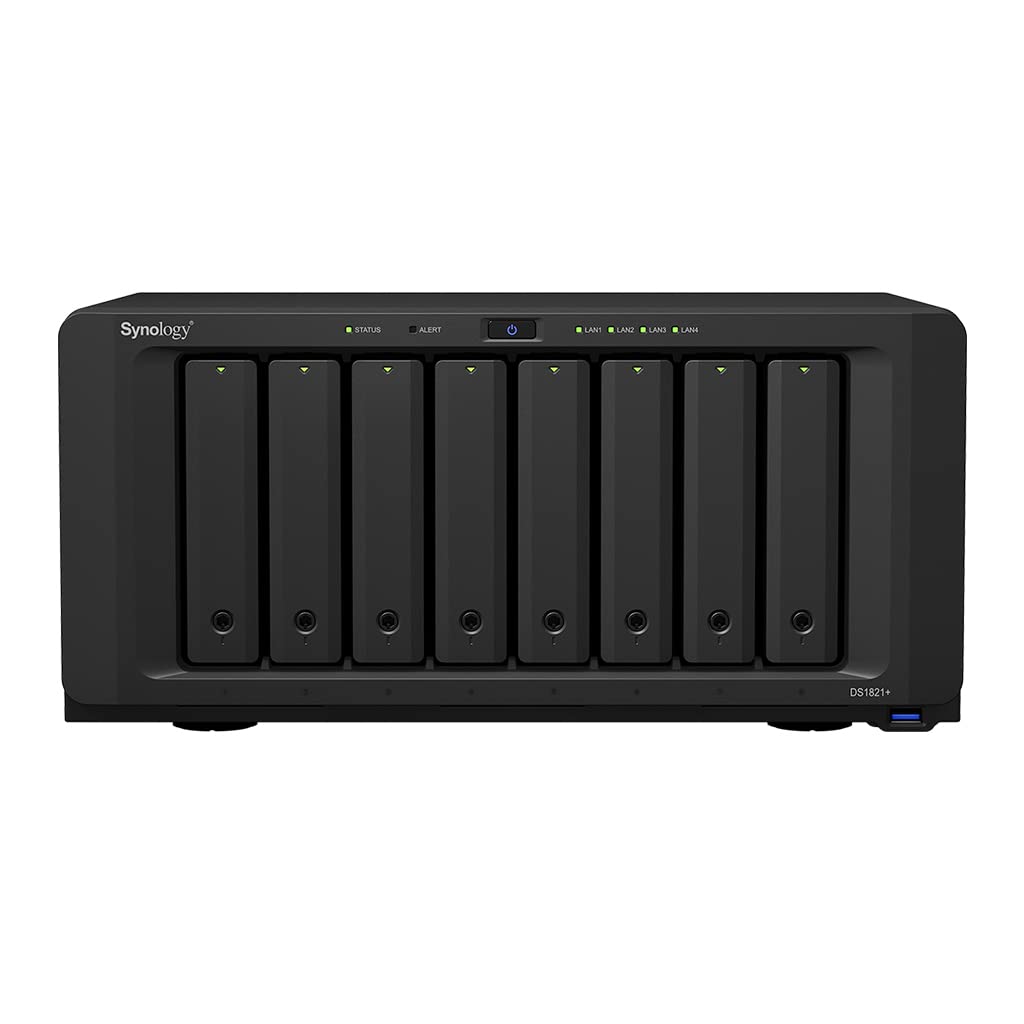
Synology Ds1821+ 8 Bay Diskstation Nas (Amd Ryzen V1500B Quad Core 2,2 Ghz 4 Gb Ddr4 Ecc Sodimm 4 X 1 Gbe Rj 45 Lan Port) 48Tb B
$4,320.99

Frequently Asked Questions
- Q: What is the storage capacity of the Synology DS1821+? A: The Synology DS1821+ has a total storage capacity of forty-eight terabytes. This includes eight six-terabyte Seagate IronWolf drives, providing ample space for data.
- Q: What are the dimensions of the Synology DS1821+? A: The dimensions of the Synology DS1821+ are thirteen point five inches in length, nine point six inches in width, and six point five inches in height. These measurements make it compact enough for various setups.
- Q: What type of processor does the Synology DS1821+ use? A: The Synology DS1821+ is powered by an AMD Ryzen V1500B quad-core processor. This provides robust performance for demanding tasks like virtualization and multimedia streaming.
- Q: How do I set up the Synology DS1821+? A: To set up the Synology DS1821+, connect it to your network, install the hard drives, and power it on. Follow the on-screen instructions via the Synology DiskStation Manager for configuration.
- Q: Can I expand the storage on the Synology DS1821+? A: Yes, you can expand the storage on the Synology DS1821+ by connecting up to two DX517 expansion units. This allows you to increase the number of bays to a maximum of eighteen.
- Q: Is the Synology DS1821+ suitable for virtualization? A: Yes, the Synology DS1821+ is designed for virtualization. It supports VMware vSphere integration and offers advanced iSCSI storage capabilities.
- Q: How do I maintain the Synology DS1821+? A: To maintain the Synology DS1821+, ensure it is in a cool, dry place and periodically check for firmware updates. Regularly back up your data to prevent loss.
- Q: What backup solutions are integrated into the Synology DS1821+? A: The Synology DS1821+ integrates various backup applications into an intuitive interface. This offers options for file sharing, backup, and data protection against loss.
- Q: Is the Synology DS1821+ compatible with OpenStack? A: Yes, the Synology DS1821+ supports OpenStack Cinder. This functionality allows it to serve as a block-based storage component for cloud solutions.
- Q: What does the Synology DS1821+ offer for data transfer? A: The Synology DS1821+ features Windows Offloaded Data Transfer, which significantly speeds up data transfer and migration rates. This enhances efficiency in data management.
- Q: What is the maximum number of drives the Synology DS1821+ can support? A: The Synology DS1821+ can support up to eight drives initially. With expansion units, the maximum can increase to eighteen drives.
- Q: Does the Synology DS1821+ come with any software applications? A: Yes, the Synology DS1821+ comes with a wide range of software applications for file sharing, backup, virtualization, and multimedia streaming, enhancing its usability.
- Q: How does the DS1821+ handle data protection? A: The DS1821+ uses business-grade backup solutions to ensure data protection. This includes support for various RAID configurations to safeguard against data loss.
- Q: Can the Synology DS1821+ be used for multimedia streaming? A: Yes, the Synology DS1821+ is well-suited for multimedia streaming. Its powerful CPU and ample storage allow seamless playback of high-definition content.
- Q: What kind of networking options does the DS1821+ offer? A: The Synology DS1821+ features four one-gigabit Ethernet RJ-45 LAN ports. This provides flexible network connectivity for various setups.
- Q: Is the Synology DS1821+ user-friendly for beginners? A: Yes, the Synology DS1821+ is designed with an intuitive user interface that makes it accessible for beginners while still offering advanced features for experienced users.