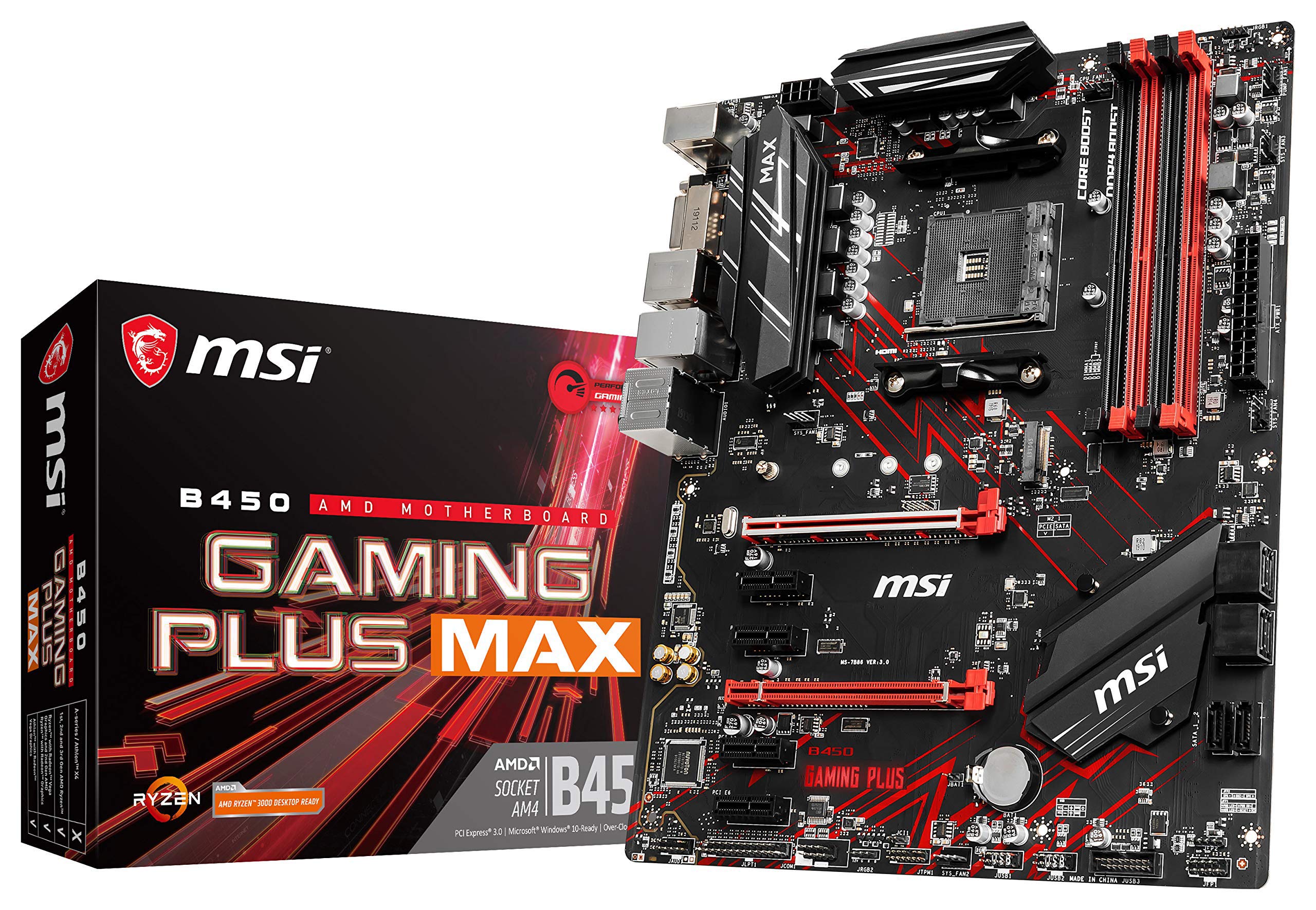
Unlimited Customization Options And Packed With Exclusive Gaming Features, Msi Performance Gaming Motherboards Offer The Best Possible Gaming Experience. Customize And Set Up Your Own Color Scheme With Msi Mystic Light Utility. Select The Available Colors From The Palette To Match Your System Style. Bored Of The Same Colors? Simply Change The Complete Look Of Your System In 1 Second! Cooling Your Pc Is Essential For Reliable Performance. We'Ve Made Sure To Include Enough Fan Headers With Full Control To Allow You To Cool Your System Any Way You Want.
⚠️ WARNING (California Proposition 65): This product may contain chemicals known to the State of California to cause cancer, birth defects, or other reproductive harm. For more information, please visit www.P65Warnings.ca.gov.
Frequently Asked Questions
Q: What are the dimensions of the MSI Performance Gaming Motherboard?A: The dimensions are twelve point zero one inches long, nine point six one inches wide, and twelve inches high. This size fits standard ATX cases.
Q: What type of processors does this motherboard support?A: It supports first, second, and third generation AMD Ryzen processors. This includes Ryzen with Radeon Vega Graphics and Athlon with Radeon Vega Graphics for socket AM4.
Q: What is the maximum memory speed supported by this motherboard?A: The maximum supported memory speed is four thousand one hundred thirty-three megahertz overclocked. It also supports DDR4 memory for enhanced performance.
Q: How do I install the MSI Performance Gaming Motherboard?A: To install, place the motherboard into the case, align with standoffs, and secure with screws. Connect the power supply and attach the CPU and RAM for proper functionality.
Q: Is this motherboard suitable for gaming?A: Yes, it is specifically designed for gaming with features like Turbo M.2 and AMD Turbo USB three point two Gen 2. These features ensure a fast and smooth gaming experience.
Q: What is MSI Mystic Light and how do I use it?A: MSI Mystic Light allows you to customize your motherboard's color scheme. Use the software to select colors from the palette and match them with your system style.
Q: How do I keep my MSI motherboard cool?A: Ensure adequate cooling by connecting fans to the provided headers. The motherboard includes multiple fan headers to facilitate efficient airflow.
Q: What should I do if my motherboard arrives damaged?A: If it arrives damaged, contact customer support for assistance with the return process. Ensure to keep all packaging materials for a smooth return.
Q: How do I update the BIOS on this motherboard?A: To update the BIOS, download the latest version from the MSI website. Use a USB drive to transfer the file and follow the on-screen instructions in the BIOS setup.
Q: Is it easy to customize the cooling setup?A: Yes, the motherboard features multiple fan headers that allow for easy customization of your cooling setup. This flexibility helps to maintain optimal system temperatures.
Q: What audio features does this motherboard have?A: It offers studio-grade sound quality through Realtek ALC892/ALC897 codecs. This ensures an immersive audio experience during gaming and media playback.
Q: Can I use this motherboard for overclocking?A: Yes, it supports overclocking capabilities, especially for RAM with speeds up to four thousand one hundred thirty-three megahertz. This can enhance overall system performance.
Q: What kind of warranty comes with this motherboard?A: The motherboard typically comes with a limited warranty that covers manufacturing defects. Please check the MSI website for specific warranty details.
Q: Does this motherboard support Crossfire?A: Yes, it supports AMD Crossfire technology for multi-GPU setups. This feature enables enhanced graphics performance in gaming.
Q: What is the maximum number of RAM slots available?A: The motherboard has four DIMM slots for RAM installation. This allows for increased memory capacity, supporting dual-channel configurations.
Q: How do I ensure compatibility with my components?A: To ensure compatibility, check the MSI website for a list of supported CPUs and RAM. This will help avoid any issues during installation.