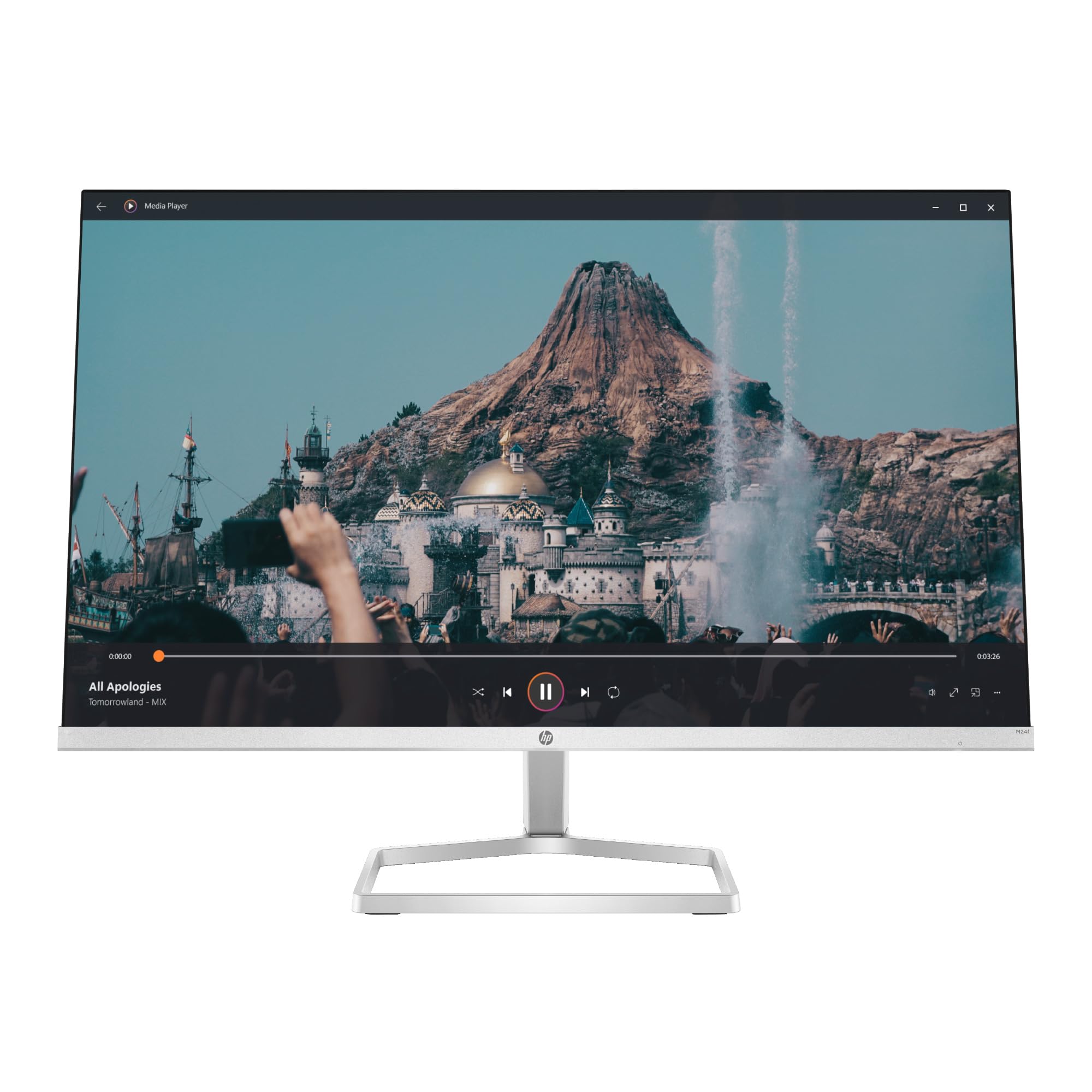
Monitors & Displays feature a wide selection of high-quality screens designed for gaming, professional work, or casual use. Our collection includes reputable brands like Dell, ASUS, and Samsung, offering various sizes from compact 24-inch displays to expansive 49-inch ultrawide options. Whether you need a Full HD monitor for everyday tasks or a 4K display for graphic design, you’ll find the perfect fit here, backed by our commitment to quality and customer satisfaction.
Quickshop
The HP 23.8" LED Anti-Glare Monitor offers a remarkable visual experience, ideal...
Monitors & Displays Overview
Monitors & Displays encompass a diverse range of screens tailored for various applications, from gaming and graphic design to everyday computing. This category features products that enhance visual experiences through superior resolution, refresh rates, and color accuracy. Offering models from leading brands such as Dell, ASUS, and Samsung, our selection includes Full HD, 4K, and ultrawide options that cater to both casual users and professionals. The importance of choosing the right monitor cannot be overstated, as a quality display can significantly impact productivity, gaming immersion, and overall user satisfaction.
What's in This Collection
This collection includes a variety of monitor types, such as standard monitors, gaming monitors, and professional displays. You can find sizes ranging from 24 inches to 49 inches, accommodating any workspace or gaming setup. Notable product lines include Dell's UltraSharp series, known for its color precision, ASUS's ROG Swift line designed for gaming, and Samsung's Odyssey range featuring immersive curved designs. Prices vary widely, starting from around $150 for entry-level models to over $1,500 for high-end ultrawide displays with advanced features like 240Hz refresh rates and G-Sync technology.
How to Choose
When selecting a monitor, consider factors such as the intended use, screen size, resolution, and refresh rate. For gaming, look for monitors with at least a 144Hz refresh rate and low response time for smoother gameplay. If you’re into graphic design or video editing, opt for a display with high color accuracy and at least 4K resolution. Additionally, ensure that the monitor complies with safety standards such as TÜV Rheinland certification for blue light reduction to protect your eyes during prolonged use. Ergonomics, including adjustable stands, can also enhance comfort and usability.
Gift Ideas & Occasions
Monitors & Displays make excellent gifts for a variety of occasions, including birthdays, graduations, and holidays. They are particularly suitable for tech enthusiasts, gamers, or anyone looking to upgrade their home office setup. A high-resolution monitor can enhance remote work productivity or provide an immersive gaming experience, making it a thoughtful gift for students, professionals, or avid gamers. With options available for all budgets and preferences, you can find the perfect screen for any recipient.
Frequently Asked Questions
What types of monitors are best for gaming?
For gaming, look for monitors with a high refresh rate (144Hz or higher) and low response time (1ms to 5ms). Brands like ASUS and Acer offer specialized gaming monitors with features like G-Sync and FreeSync for smoother gameplay.
What size monitor should I choose for my workspace?
The ideal monitor size depends on your workspace and usage. For general office tasks, a 24-27 inch monitor is often sufficient, while graphic designers may prefer larger screens (32 inches or more) for better detail and multitasking.
Are there monitors with built-in speakers?
Yes, many monitors come with built-in speakers, especially those designed for casual use. However, for enhanced audio quality, consider using external speakers or headphones for gaming and multimedia applications.
What monitor resolution is best for graphic design?
For graphic design, a 4K monitor (3840 x 2160) is highly recommended due to its superior detail and color accuracy. Look for monitors with high color gamut and calibration features to ensure precise color representation.
How do I maintain my monitor for longevity?
To maintain your monitor, regularly clean the screen with a microfiber cloth and avoid using harsh chemicals. Adjust brightness settings to an appropriate level and use a surge protector to prevent damage from power fluctuations.
What brands of monitors do you carry?
We carry a wide range of monitor brands, including Dell, ASUS, Samsung, LG, and Acer, offering options suitable for gaming, professional work, and casual use.
What is the difference between IPS and TN panels?
IPS panels provide better color accuracy and wider viewing angles compared to TN panels, which typically have faster response times but poorer color performance. Choose IPS for design work and TN for competitive gaming.
Is it safe to use a monitor for long hours?
Yes, but it's essential to take regular breaks to reduce eye strain. Look for monitors with blue light reduction features and ensure proper ergonomic setups to enhance comfort during extended use.


 Regular price $236.41Gawfolk 27" 4K Gaming Monitor, 160Hz, 1ms, FreeSync, HDMI 2.1, GawfolkSold Out
 Regular price $330.25Raywego 34" Pink Curved Gaming Monitor, 165Hz UWQHD, 1500R, 1ms, RaywegoSold Out
 Regular price $1,317.09LG 45-Inch Ultragear WQHD OLED Curved Gaming Monitor, 240Hz, NVIDIA LGSold Out
 Regular price $264.46CRUA 34'' Ultrawide Curved Gaming Monitor, 165Hz WQHD, 1500R, White, CRUASold Out
 Regular price $159.17Sceptre 24-Inch Gaming Monitor E248W-FW100T, 100Hz, FreeSync, Machine Black, Built-in SceptreSold Out
 Regular price $93.39SANSUI 22 Inch 120Hz Monitor, FHD Computer Monitor 4000:1 Contrast SANSUISold Out


 Regular price $303.93Lg 27Ul500-W 27-Inch 4K Uhd (3840 X 2160) Ultrafine Computer LG ConsumerSold Out

 Regular price $67.04Forhelp 15.6Inch Portable Monitor,1080P Usb-C Hdmi Second External Monitor For ForHelpSold Out