

Cart
0


Aluratek 10'' Wifi Digital Photo Frame W/ Touchscreen Ips Display, 32Gb Mem, 1280 X 800 Res, Easy Setup To Share Photo/Video Wir
Vendor: Aluratek
Type: Lighting & Studio Gear
Sku: WBEEAB01HM04BLE
Availability: In Stock
Couldn't load pickup availability
Guarantee safe checkout

Sold by Electroeshop, an authorized reseller.
Returns accepted within 30 days | support@electroeshop.com
Shipping Information
- Free Standard Shipping — United States only
- Processing Time: 1–3 business days
- Estimated Delivery: 3–5 business days after dispatch
- Double-boxed, fully insured & discreetly packaged
- Tracking number sent via email once dispatched
- Orders over $250 require signature upon delivery. Taxes calculated at checkout.
Returns & Refund
Returns accepted within 30 days of delivery.
Damaged or Defective Item
Free return shipping + replacement or full refund
Wrong Item Received
Free return shipping + replacement or full refund
Change of Mind
Return shipping at customer's expense · 25% restocking fee applies
All returns require a Return Authorization (RA) number before sending.
View Full Return & Refund Policy
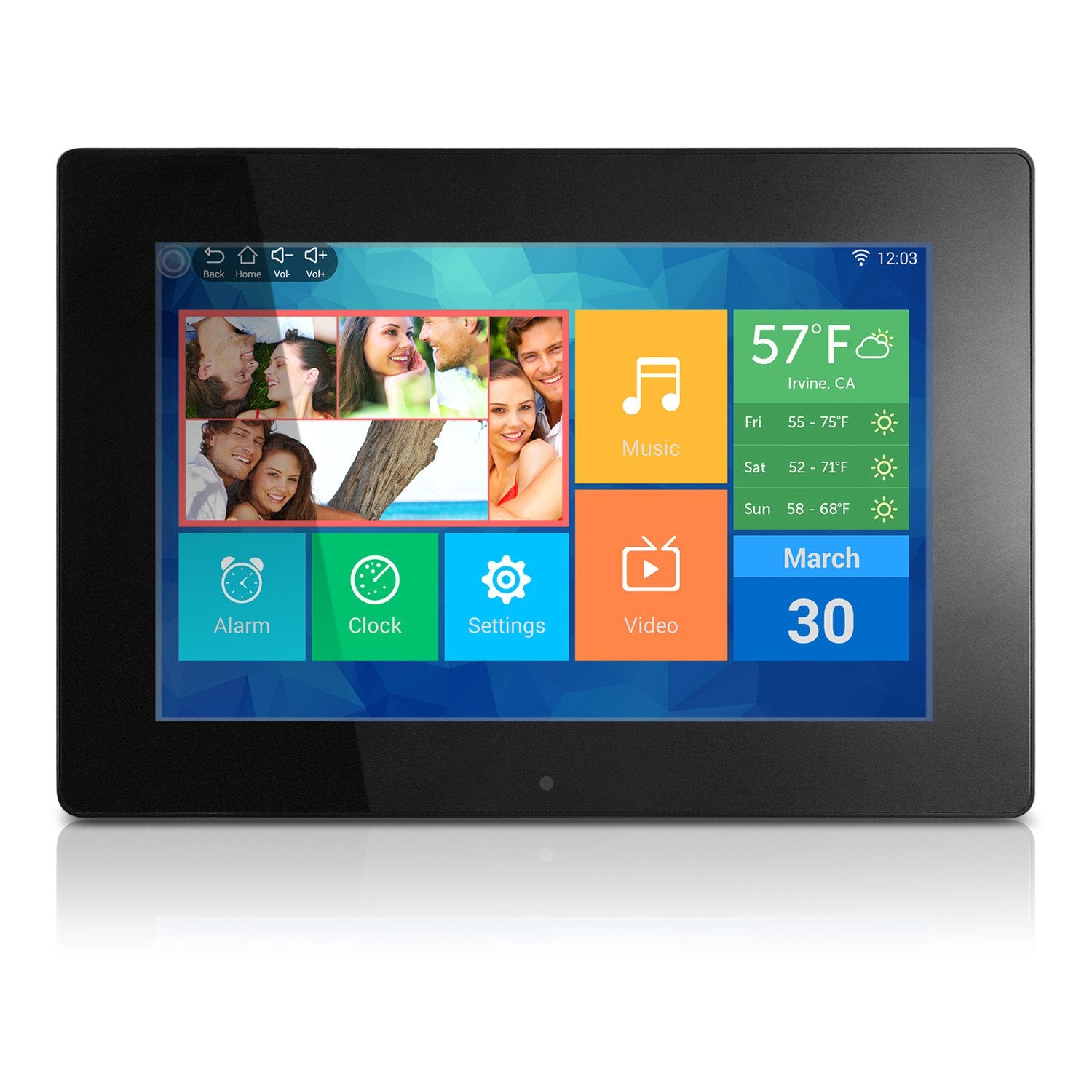
Aluratek 10'' Wifi Digital Photo Frame W/ Touchscreen Ips Display, 32Gb Mem, 1280 X 800 Res, Easy Setup To Share Photo/Video Wir
$87.64

Frequently Asked Questions
- Q: What is the size of the Aluratek digital photo frame? A: The Aluratek digital photo frame measures ten inches diagonally. Its dimensions are seven point thirty-six inches in length, ten point seventy-five inches in width, and zero point ninety-nine inches in height.
- Q: What resolution does the display have? A: The display has a resolution of one thousand two hundred eighty by eight hundred pixels. This high-resolution provides a clear and vibrant viewing experience.
- Q: How much memory does the digital photo frame have? A: The digital photo frame comes with thirty-two gigabytes of memory. This allows for extensive photo and video storage to showcase your cherished memories.
- Q: How do I connect the photo frame to Wi-Fi? A: To connect the photo frame to Wi-Fi, use the touchscreen interface to navigate to the settings menu. Select Wi-Fi, choose your network, and enter the password to connect.
- Q: Can I mount the photo frame on a wall? A: Yes, the photo frame can be wall-mounted. It is compatible with VESA mounts, allowing you to integrate it seamlessly into your home decor.
- Q: Is the photo frame easy to set up? A: Yes, the photo frame is designed for easy setup. You can quickly connect it to your Wi-Fi network and start sharing photos and videos wirelessly.
- Q: What features does the Aluratek photo frame offer? A: The photo frame includes features like a built-in clock, calendar, alarm, and weather apps. It enhances your daily routine while displaying your favorite memories.
- Q: How do I clean the touchscreen display? A: To clean the touchscreen display, use a soft, lint-free cloth. Avoid using harsh chemicals, as they may damage the screen.
- Q: What should I do if my photo frame won't connect to Wi-Fi? A: If the photo frame won't connect to Wi-Fi, ensure your network is functioning properly and that you entered the correct password. Restarting the device may also help.
- Q: Is the Aluratek photo frame compatible with social media? A: Yes, the photo frame allows seamless integration with social media. You can share photos directly from your Facebook and Twitter accounts.
- Q: How do I transfer photos to the frame? A: You can transfer photos to the frame wirelessly via Wi-Fi or by using a USB drive. The frame supports various methods for easy photo sharing.
- Q: Does the photo frame have a warranty? A: Yes, the Aluratek photo frame comes with a warranty. Check the manufacturer's guidelines for specific terms and duration.
- Q: What aspect ratio does the display have? A: The display has a sixteen by ten aspect ratio. This format ensures a wide and immersive viewing experience for your images.
- Q: Can I set automatic on/off timers for the frame? A: Yes, you can set automatic on/off timers for the frame. This feature adds convenience by allowing it to operate on a schedule.
- Q: What color options are available for the photo frame? A: The Aluratek photo frame is available in black. This classic color complements various home decor styles.