

Cart
0


J Tech Digital Wireless Hdmi Extender 1080P Up To 660 Ft Extension, Transmitter & Receiver Kit Selectable Frequencies To Limit I
Vendor: J-Tech Digital
Type: HDMI & Display Cables
Sku: WBEEAB01NC2LH2N
Availability: In Stock
Couldn't load pickup availability
Guarantee safe checkout

Sold by Electroeshop, an authorized reseller.
Returns accepted within 30 days | support@electroeshop.com
Shipping Information
- Free Standard Shipping — United States only
- Processing Time: 1–3 business days
- Estimated Delivery: 3–5 business days after dispatch
- Double-boxed, fully insured & discreetly packaged
- Tracking number sent via email once dispatched
- Orders over $250 require signature upon delivery. Taxes calculated at checkout.
Returns & Refund
Returns accepted within 30 days of delivery.
Damaged or Defective Item
Free return shipping + replacement or full refund
Wrong Item Received
Free return shipping + replacement or full refund
Change of Mind
Return shipping at customer's expense · 25% restocking fee applies
All returns require a Return Authorization (RA) number before sending.
View Full Return & Refund Policy
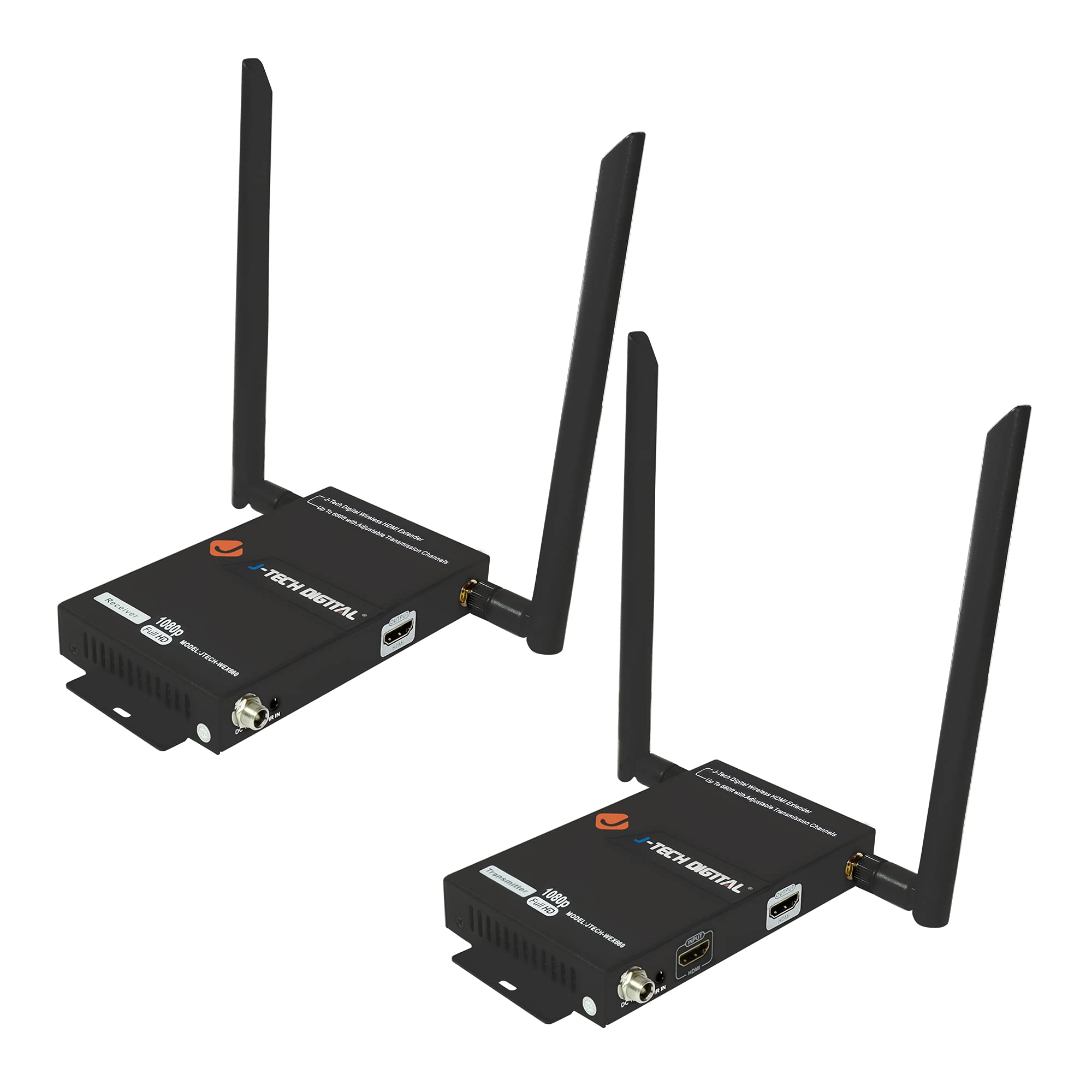
J Tech Digital Wireless Hdmi Extender 1080P Up To 660 Ft Extension, Transmitter & Receiver Kit Selectable Frequencies To Limit I
$285.17

Frequently Asked Questions
- Q: What are the dimensions of the J-Tech Digital Wireless HDMI Extender? A: The dimensions of the J-Tech Digital Wireless HDMI Extender are six point nine inches in length, five point three inches in width, and three point two inches in height.
- Q: What materials is the J-Tech Digital Wireless HDMI Extender made from? A: The J-Tech Digital Wireless HDMI Extender is made from iron, ensuring durability and longevity.
- Q: What is the maximum transmission distance of this HDMI extender? A: The maximum transmission distance of the HDMI extender is six hundred sixty feet, allowing for extensive wireless reach.
- Q: How do you install the J-Tech Digital Wireless HDMI Extender? A: To install the HDMI extender, connect the transmitter to your HDMI source and the receiver to your display, then power them on.
- Q: Can I use multiple J-Tech Digital HDMI extenders at the same time? A: Yes, you can connect up to four pairs of J-Tech Digital HDMI extenders simultaneously without interference.
- Q: Is the J-Tech Digital Wireless HDMI Extender suitable for gaming? A: Yes, this HDMI extender is suitable for gaming, providing low latency of less than two hundred milliseconds.
- Q: How do I care for the J-Tech Digital Wireless HDMI Extender? A: To care for the HDMI extender, keep it in a dry environment and avoid exposure to extreme temperatures or moisture.
- Q: What should I do if the HDMI extender stops working? A: If the HDMI extender stops working, check the power connections and ensure both the transmitter and receiver are set to the same channel.
- Q: Does the J-Tech Digital Wireless HDMI Extender come with a warranty? A: Yes, the J-Tech Digital Wireless HDMI Extender includes a one-year manufacturer warranty for your peace of mind.
- Q: Can I use the HDMI extender in a room with high Wi-Fi activity? A: Yes, the HDMI extender is designed to work in areas with high Wi-Fi activity, using a unique channel selection to minimize interference.
- Q: What audio formats does the J-Tech Digital HDMI extender support? A: The HDMI extender supports LPCM audio format at forty-eight kilohertz and sixteen bits, ensuring high-quality sound.
- Q: Is there a limit to the number of devices I can connect to the HDMI extender? A: You can connect multiple devices, but the system is optimized for up to four separate transmitter and receiver pairs.
- Q: How do I reset the J-Tech Digital Wireless HDMI Extender? A: To reset the HDMI extender, unplug it from the power source, wait for a few seconds, and then reconnect it.
- Q: What power supply does the HDMI extender require? A: The HDMI extender requires a power supply of DC twelve volts and one ampere for proper operation.
- Q: Is the HDMI extender easy to set up for beginners? A: Yes, the HDMI extender is easy to set up for beginners, with straightforward instructions included in the package.
- Q: What kind of technical support is available for this product? A: J-Tech Digital offers free lifetime technical support from their customer support team, available Monday through Friday.