

Cart
0


Wd Ultrastar Dc Hc550 0F38462
Free Standard Shipping Across USA
Vendor: Western Digital
Type: Hard Drive Enclosures
Sku: WBEEAB0921PYS45
Availability: Sold Out
Couldn't load pickup availability
Guarantee safe checkout

Sold by Electroeshop, an authorized reseller.
Returns accepted within 30 days | support@electroeshop.com
Shipping Information
- Free Standard Shipping — United States only
- Processing Time: 3–5 business days
- Estimated Delivery: 6–10 business days after dispatch
- Double-boxed, fully insured & discreetly packaged
- Tracking number sent via email once dispatched
Returns & Refund
Returns accepted within 30 days of delivery.
Damaged or Defective Item
Free return shipping + replacement or full refund
Wrong Item Received
Free return shipping + replacement or full refund
Change of Mind
Return shipping at customer's expense · 25% restocking fee applies
All returns require a Return Authorization (RA) number before sending.
View Full Return & Refund Policy
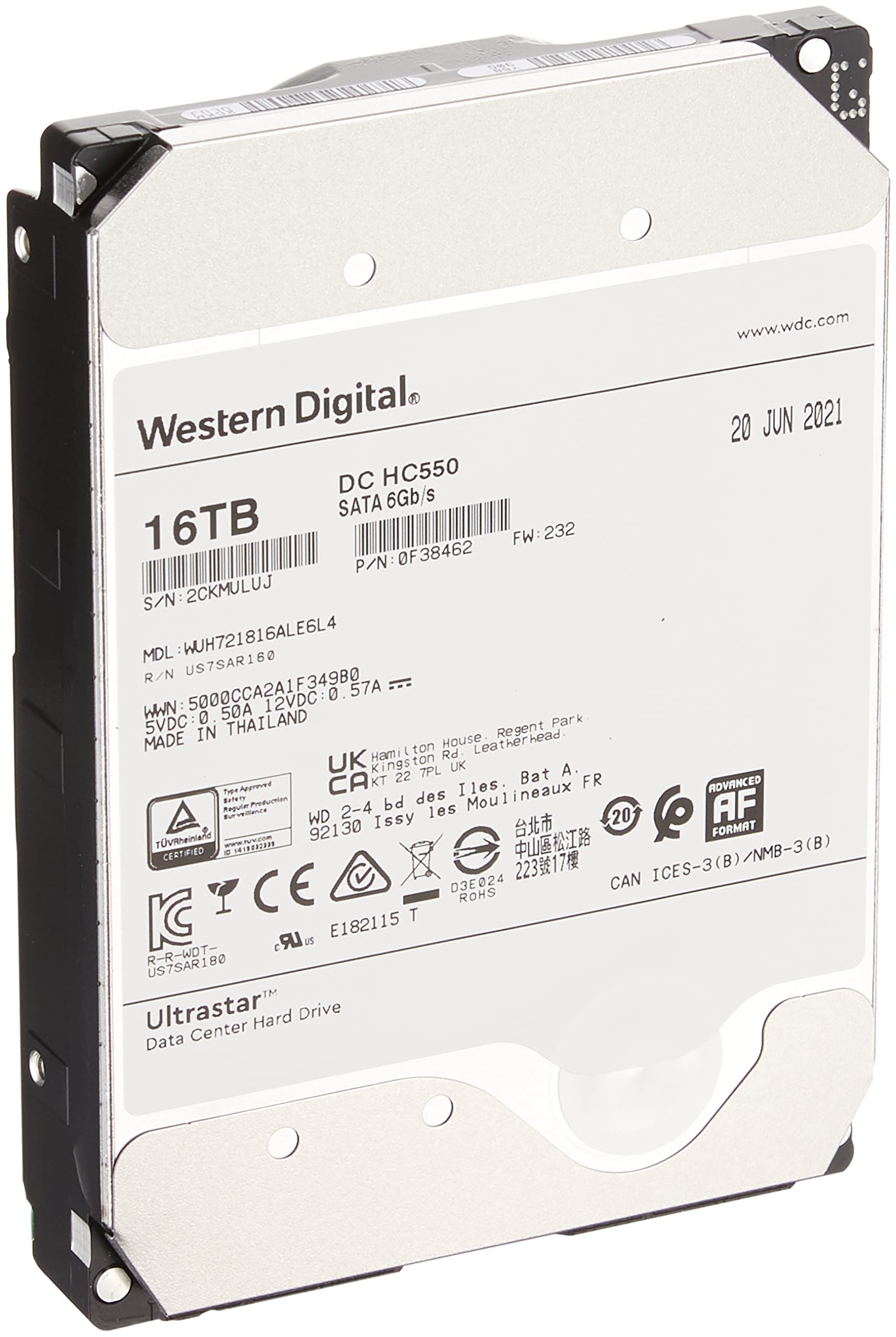
Wd Ultrastar Dc Hc550 0F38462
$915.07

Frequently Asked Questions
- Q: What is the storage capacity of the Western Digital HDD? A: The storage capacity is sixteen terabytes. This large capacity is ideal for data centers and high-volume storage needs.
- Q: What is the spindle speed of this hard drive? A: The spindle speed is seven thousand two hundred revolutions per minute. This ensures fast data access and improved performance.
- Q: What type of drive interface does this hard drive use? A: The drive interface is SATA. This standard interface is widely used for internal hard drives.
- Q: What are the dimensions of the Western Digital HDD? A: The dimensions are four point zero two inches in length, five point seven nine inches in width, and one point zero three inches in height. These dimensions fit standard data center racks.
- Q: What is the buffer size of this hard drive? A: The buffer size is five hundred twelve megabytes. A larger buffer helps enhance data transfer speeds.
- Q: Is this hard drive suitable for personal computers? A: Yes, this hard drive is suitable for personal computers. Its internal design and SATA interface make it compatible with most desktop systems.
- Q: How do I install the Western Digital HDD? A: To install the hard drive, first power off your computer, connect the drive to a SATA port, and secure it in the drive bay. Finally, power on your computer to recognize the new drive.
- Q: Can this hard drive be used for gaming? A: Yes, this hard drive can be used for gaming. Its high storage capacity allows you to store multiple games and large files.
- Q: How do I maintain the performance of this hard drive? A: To maintain performance, keep the drive clean, ensure adequate ventilation, and regularly back up data. This will extend its lifespan.
- Q: Is this hard drive durable and reliable? A: Yes, this hard drive is designed for durability and reliability. It has a limited warranty of five years, indicating its long-lasting performance.
- Q: What should I do if the hard drive is damaged upon arrival? A: If the hard drive is damaged upon arrival, contact customer support for a return or exchange. Ensure to keep the original packaging for returns.
- Q: Does this hard drive have a warranty? A: Yes, it comes with a limited warranty of five years. This warranty covers defects in materials and workmanship.
- Q: What are the typical uses for this hard drive? A: This hard drive is typically used for data centers, storage servers, and high-capacity backups. Its large capacity suits various data-intensive applications.
- Q: How do I ensure data safety on this hard drive? A: To ensure data safety, regularly back up important files and use antivirus software. Avoid physical shocks to the drive.
- Q: Is this hard drive energy-efficient? A: Yes, this hard drive is designed for energy efficiency. Using it can help reduce overall energy costs in data centers.