

Cart
0


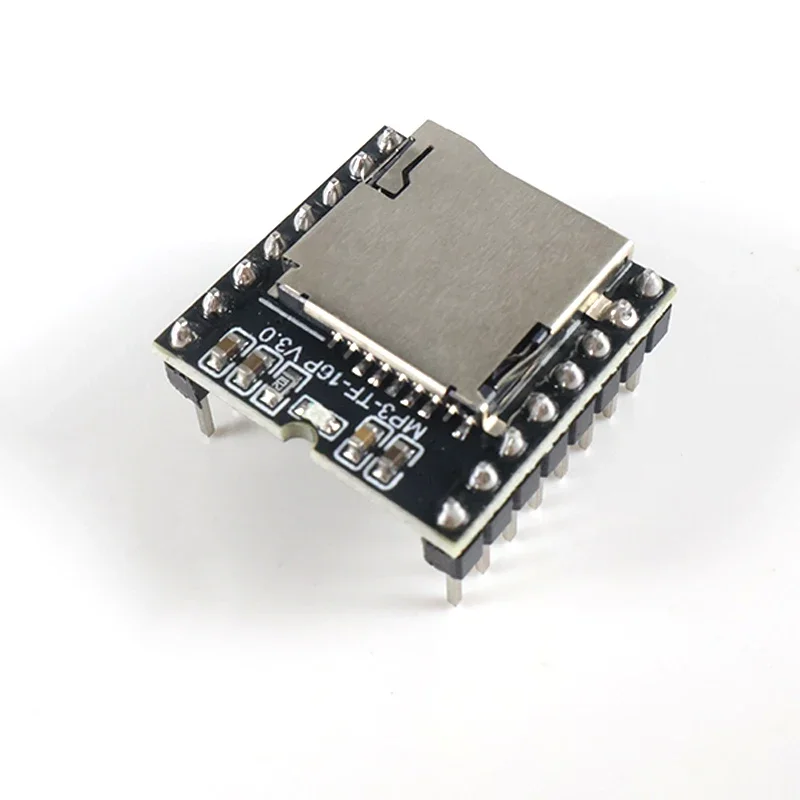
DFPlayer Mini MP3 Module Voice Sound Module with TF Card USB Port for Arduino UNO ESP32 Notification Alarm System DIY
Free Standard Shipping Across USA
Vendor: Electroeshop
Type:
Sku: 14:350852#1 pcs Mini MP3
Availability: In Stock
Couldn't load pickup availability
Guarantee safe checkout

Sold by Electroeshop, an authorized reseller.
Returns accepted within 30 days | support@electroeshop.com
Shipping Information
- Free Standard Shipping — United States only
- Processing Time: 3–5 business days
- Estimated Delivery: 6–10 business days after dispatch
- Double-boxed, fully insured & discreetly packaged
- Tracking number sent via email once dispatched
Returns & Refund
Returns accepted within 30 days of delivery.
Damaged or Defective Item
Free return shipping + replacement or full refund
Wrong Item Received
Free return shipping + replacement or full refund
Change of Mind
Return shipping at customer's expense · 25% restocking fee applies
All returns require a Return Authorization (RA) number before sending.
View Full Return & Refund Policy

DFPlayer Mini MP3 Module Voice Sound Module with TF Card USB Port for Arduino UNO ESP32 Notification Alarm System DIY - 1 pcs Mini MP3
$1.73

SPECIFICATIONS
Brand Name: NONE
Choice: yes
Condition: New
High-concerned chemical: none
Origin: Mainland China
Type: Module
p{margin-block-start: 0; margin-block-end: 0}
🚀 Instant Audio Playback Solution!
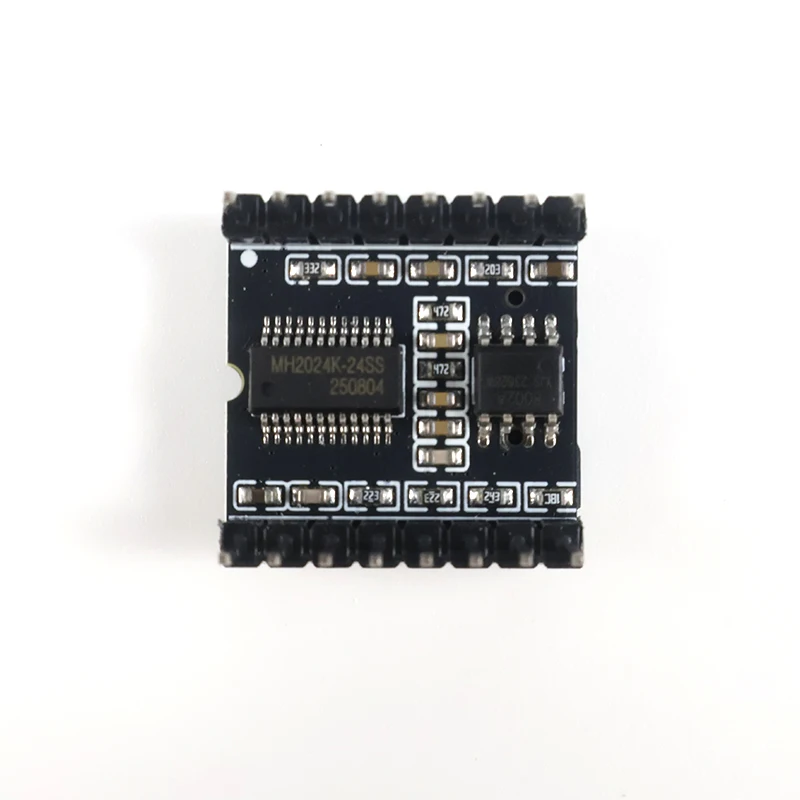
Add professional voice and sound effects to any project! This DFPlayer Mini module is a complete MP3 decoder board that plays audio directly from a TF card or U disk – perfect for adding voice prompts, alarms, and automated announcements to your Arduino, ESP32, or DIY creations.
✨ Key Advantages:
🔌 Plug & Play – Simply insert a prepared TF card, connect a speaker, and power up for instant sound.
🎛️ Multiple Control Modes – Supports UART serial commands, physical push buttons, or AD key input for flexible integration.
🎵 High-Quality Sound – Features a 24-bit DAC with an 85dB signal-to-noise ratio for clear and crisp audio.
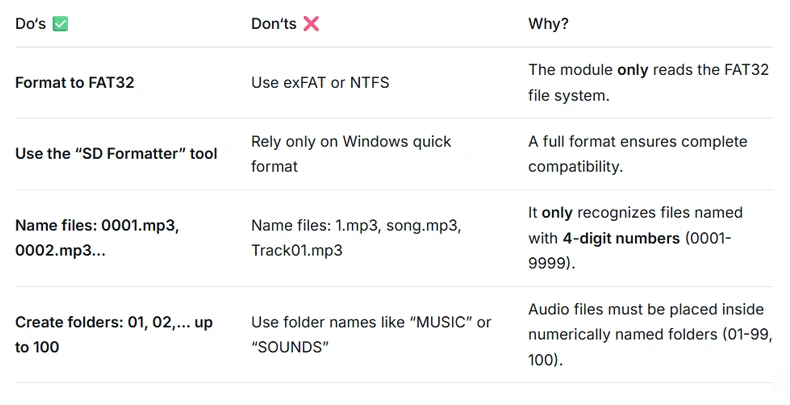
💾 Wide Compatibility – Supports FAT32 file system (exFAT/NTFS are not supported), with storage up to 32GB on TF cards or USB drives.
⚡ Flexible Power – Works seamlessly with both 3.3V and 5V microcontroller systems.
⚠️ [CRITICAL] Read This Before You Start - Avoid Common Pitfalls!
❌ THIS IS NOT A SIMPLE USB SPEAKER!
This is a serial-controlled decoder module. You MUST format your storage device and name files exactly as specified below for it to work. Following these steps is essential.
📁 【TF Card / USB Stick Setup - THE MOST IMPORTANT STEP!】
🔌 【Power & Connection Warnings】
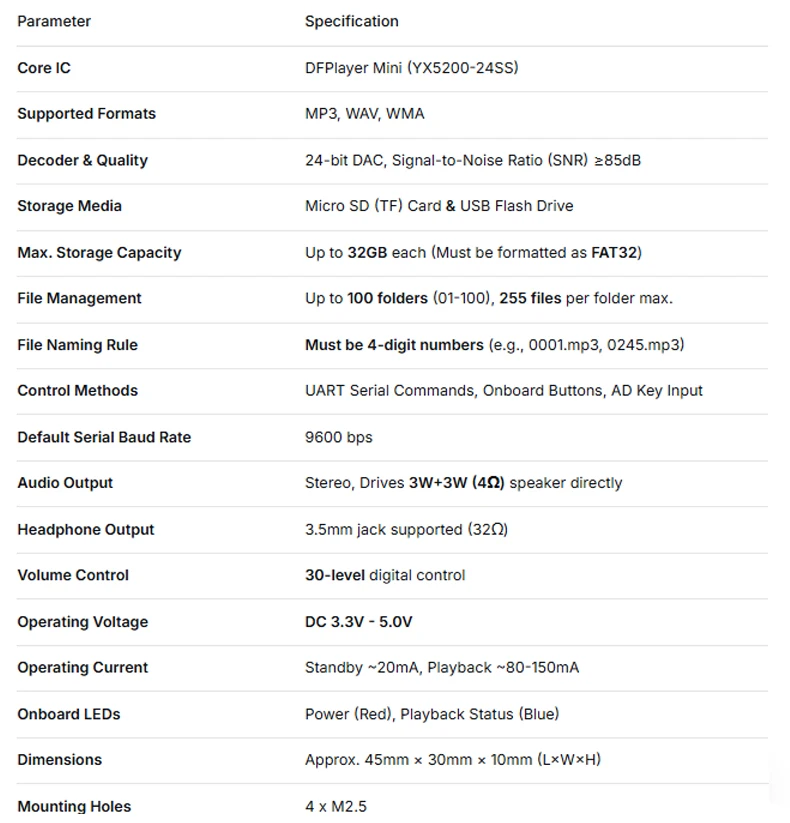
Operating Voltage: Strictly 3.3V to 5V DC. Applying voltage above 5V will permanently destroy the module.
For ESP32/ESP8266 Users: Always power the module from the microcontroller’s 3.3V pin, NOT the 5V pin.
Speaker Compatibility: Can directly drive 4Ω or 8Ω speakers. Connect to an external amplifier for higher volume.
🎛️ 【Troubleshooting: If It Doesn‘t Work, Check This First!】
1. Is the red power indicator light on? If not, immediately check your power connections and voltage.
2. Is your TF card formatted as FAT32 with correctly named files placed inside a folder named 01? (This solves over 90% of issues).
3. Are you using the correct serial baud rate (default is 9600) in your Arduino or microcontroller code?
📊 Technical Specifications:
🔧 Easy to Use - 3 Simple Steps:
1. Prepare Audio: Format your TF card to FAT32. Copy your MP3 files (renamed to 0001.mp3, 0002.mp3, etc.) into a folder named 01.
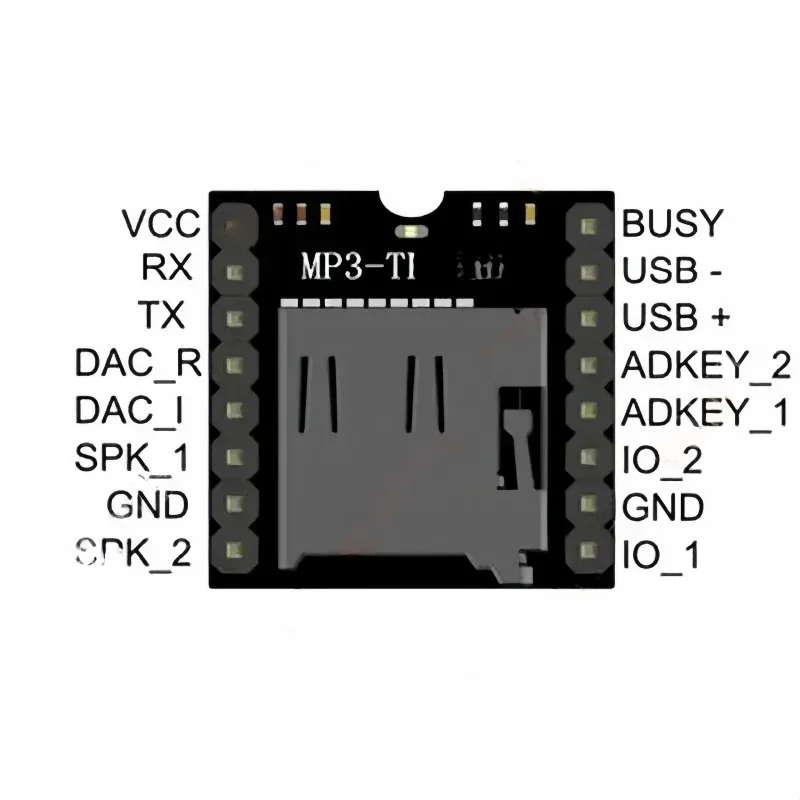
2. Make Connections: Insert the TF card, connect a 4Ω/8Ω speaker to SPK+/- terminals, and supply 3.3V-5V power to VCC and GND.
3. Control & Play: Use the onboard buttons, or connect TX/RX to your Arduino/ESP32 serial pins to control playback with simple commands.
💡 Perfect For:
Arduino/ESP32-based Voice Notification & Alarm Systems
DIY Talking Robots, Interactive Toys & Smart Gadgets
Public Address, Warning & Queue Management Systems
Interactive Exhibits, Museum Guides & Educational Tools
Multi-language Guidance Equipment & Announcement Boards
Fire Alarms, Industrial Safety Reminders & Automated Alerts
📦 Package Includes:
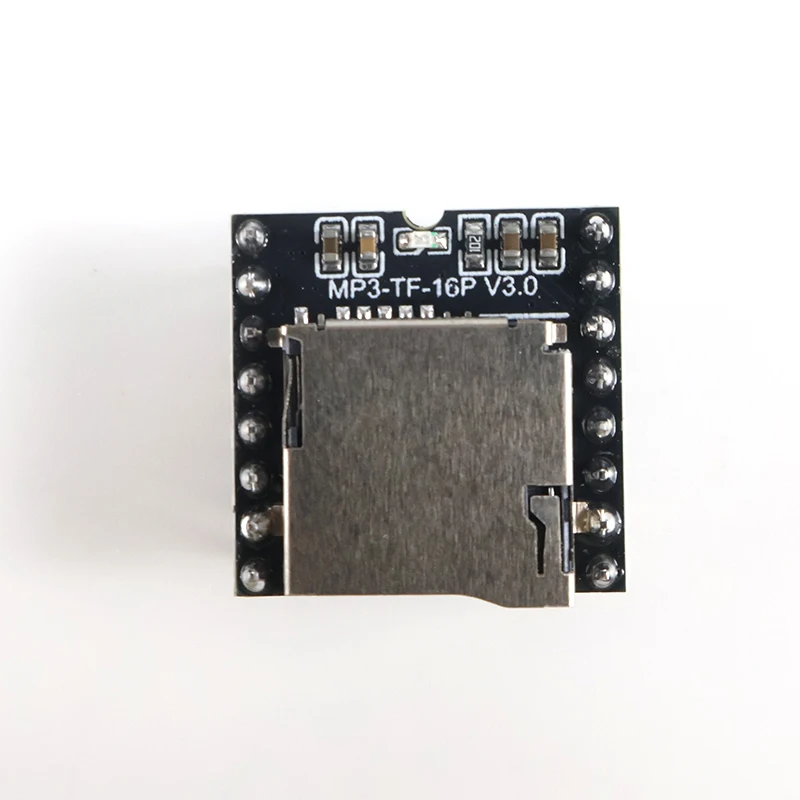
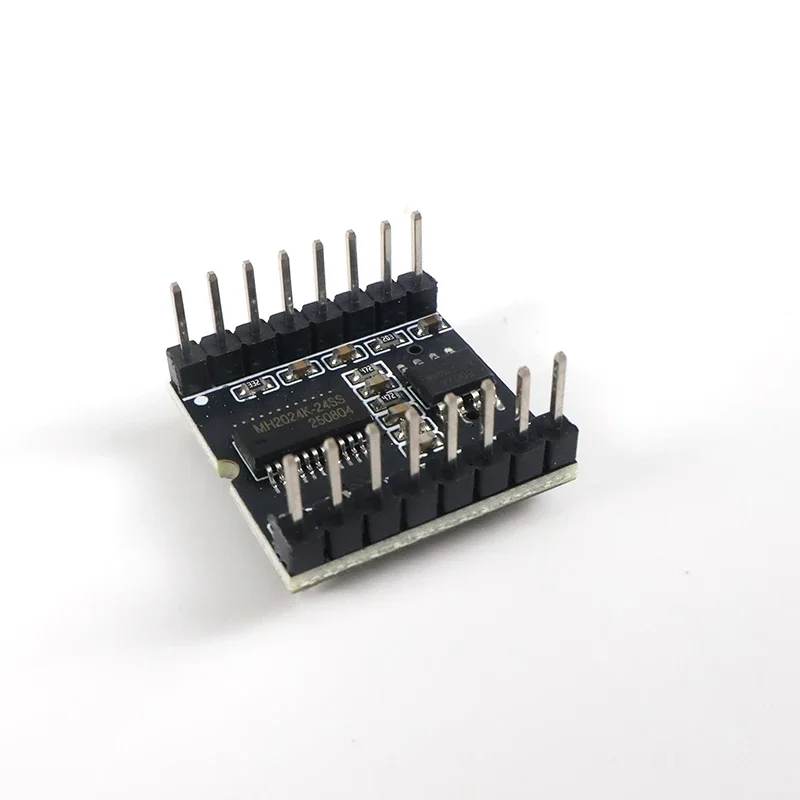
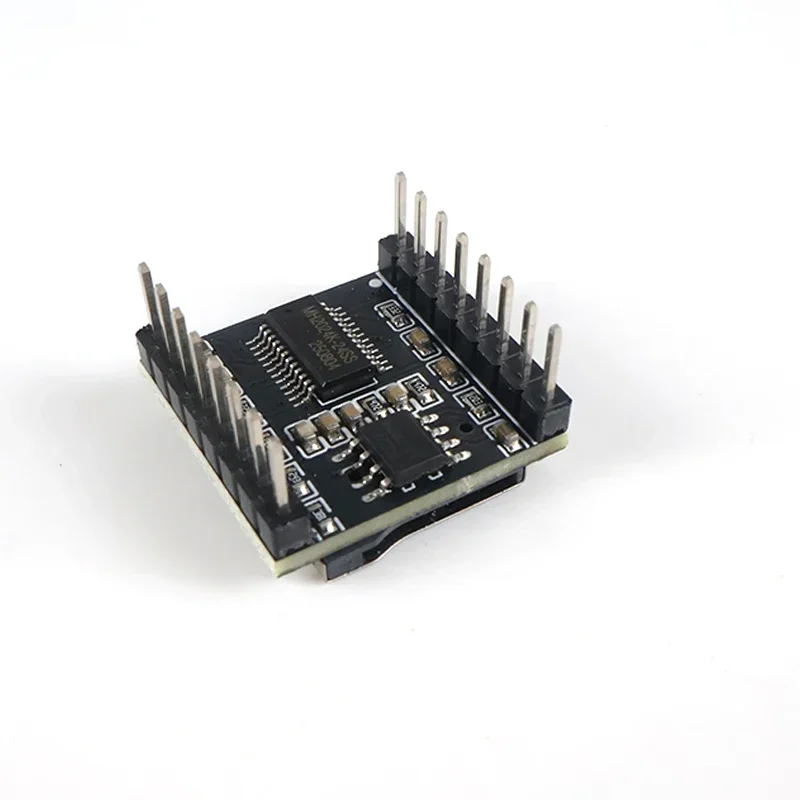
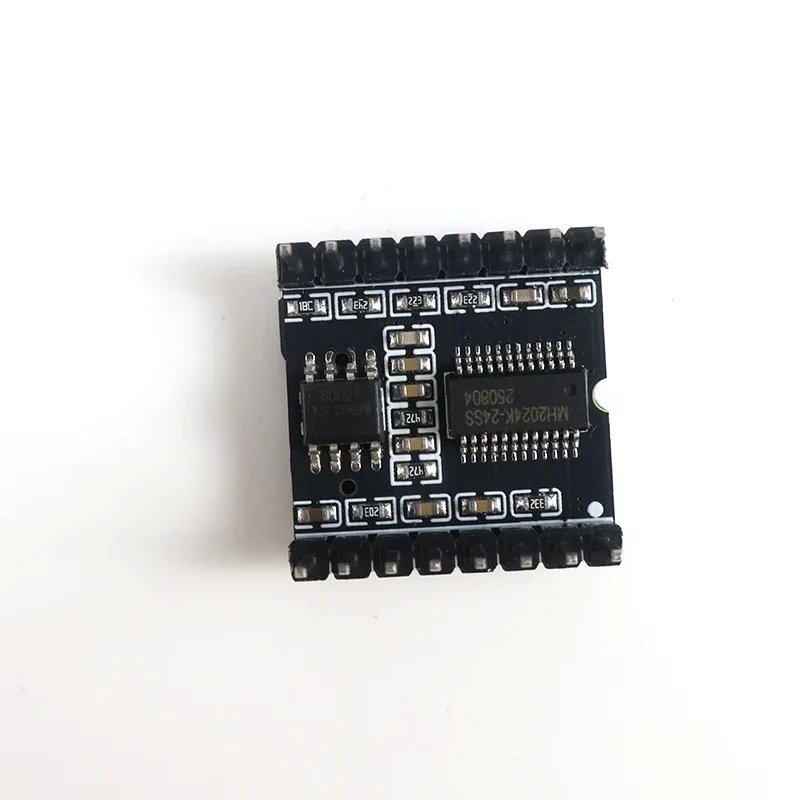
1 × DFPlayer Mini MP3 Player Module
⚠️ WARNING (California Proposition 65):
This product may contain chemicals known to the State of California to cause cancer, birth defects, or other reproductive harm.
For more information, please visit www.P65Warnings.ca.gov.