

Cart
0


Hp All In One Desktop| 22'' Full Hd Display| Intel Dual Core Processor| 20Gb Ram| 1Tb Pcie Ssd| 128Gb External Drive & Microsoft
Vendor: HP
Type: All-in-One Computers
Sku: WBCOMB0DVXLQHM4
Availability: Sold Out
Couldn't load pickup availability
Guarantee safe checkout

Sold by Electroeshop, an authorized reseller.
Returns accepted within 30 days | support@electroeshop.com
Shipping Information
- Free Standard Shipping — United States only
- Processing Time: 1–3 business days
- Estimated Delivery: 3–5 business days after dispatch
- Double-boxed, fully insured & discreetly packaged
- Tracking number sent via email once dispatched
- Orders over $250 require signature upon delivery. Taxes calculated at checkout.
Returns & Refund
Returns accepted within 30 days of delivery.
Damaged or Defective Item
Free return shipping + replacement or full refund
Wrong Item Received
Free return shipping + replacement or full refund
Change of Mind
Return shipping at customer's expense · 25% restocking fee applies
All returns require a Return Authorization (RA) number before sending.
View Full Return & Refund Policy
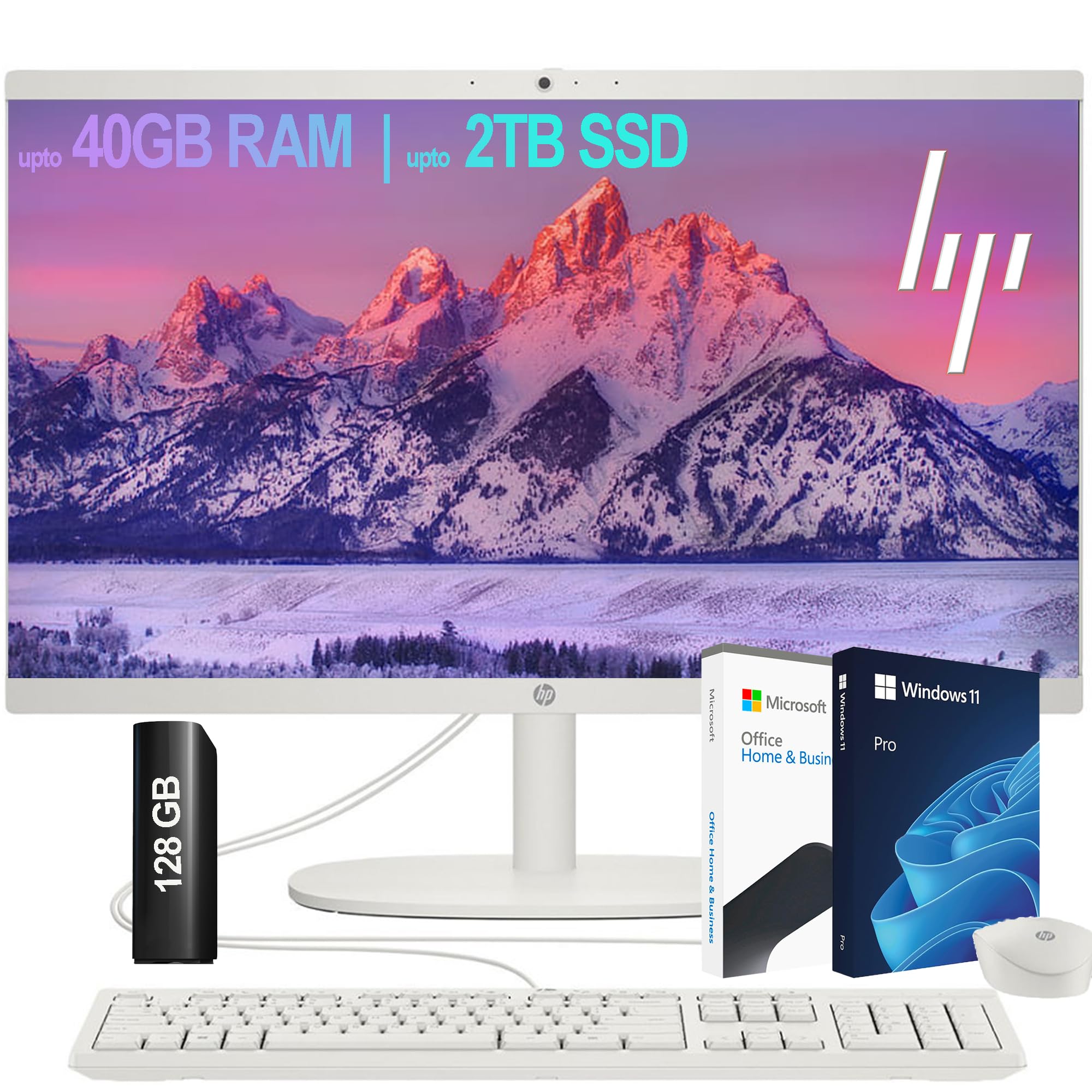
Hp All In One Desktop| 22'' Full Hd Display| Intel Dual Core Processor| 20Gb Ram| 1Tb Pcie Ssd| 128Gb External Drive & Microsoft
$704.93

Frequently Asked Questions
- Q: What is the display size of the HP All-in-One Desktop? A: The display size is twenty-one point five inches. It features a Full HD resolution of one thousand nine hundred twenty by one thousand eighty pixels for clear visuals.
- Q: What type of processor does this HP All-in-One Desktop have? A: It has an Intel Celeron J4025 processor. This dual-core processor operates at a base frequency of two point zero gigahertz and can burst up to two point nine gigahertz.
- Q: How much RAM does this desktop come with? A: This desktop comes with twenty gigabytes of RAM. It supports memory upgrades of up to forty gigabytes, allowing for better multitasking.
- Q: What is the storage capacity of the HP All-in-One Desktop? A: It has a one terabyte PCIe SSD. Additionally, there is a one hundred twenty-eight gigabyte external drive included for extra storage.
- Q: What operating system is pre-installed on the HP All-in-One Desktop? A: Windows eleven is pre-installed. It is a sixty-four bit version, optimized for performance and security.
- Q: Does this desktop have a built-in webcam? A: Yes, it features an HP True Vision seven hundred twenty p HD privacy camera. This webcam includes integrated dual-array digital microphones for clear audio.
- Q: What ports are available on this HP All-in-One Desktop? A: It has several ports including two SuperSpeed USB Type-A, two USB two point zero Type-A, one USB Type-C, one HDMI-out, and one RJ-45 Ethernet port.
- Q: How do I connect this desktop to the internet? A: You can connect via Wi-Fi six or Bluetooth. Both options ensure fast and reliable wireless connectivity for your devices.
- Q: What color is the HP All-in-One Desktop? A: The desktop is available in white. This sleek color adds a modern touch to any workspace.
- Q: What are the dimensions of the HP All-in-One Desktop? A: The dimensions are nineteen inches in length, twelve inches in width, and fifteen inches in height. This compact design fits well in various spaces.
- Q: How do I set up the HP All-in-One Desktop? A: Simply unpack the desktop, connect the keyboard and mouse, and plug it into a power source. Follow the on-screen instructions to complete the setup.
- Q: Is this desktop suitable for gaming? A: While it can handle casual gaming, it is primarily designed for everyday computing tasks. For high-end gaming, a more powerful system is recommended.
- Q: What software comes with the HP All-in-One Desktop? A: It includes a trial of Microsoft Office. This software offers essential tools for productivity, ideal for both home and business use.
- Q: How do I keep the HP All-in-One Desktop clean? A: Use a soft, dry cloth to wipe the screen and surfaces. Avoid using harsh chemicals that could damage the finish.
- Q: What should I do if the desktop arrives damaged? A: Contact customer support immediately for assistance. They will guide you through the return or replacement process to resolve the issue.
- Q: Is there a warranty for this product? A: Yes, it comes with a manufacturer's warranty. Be sure to check the specifics regarding coverage and duration for peace of mind.