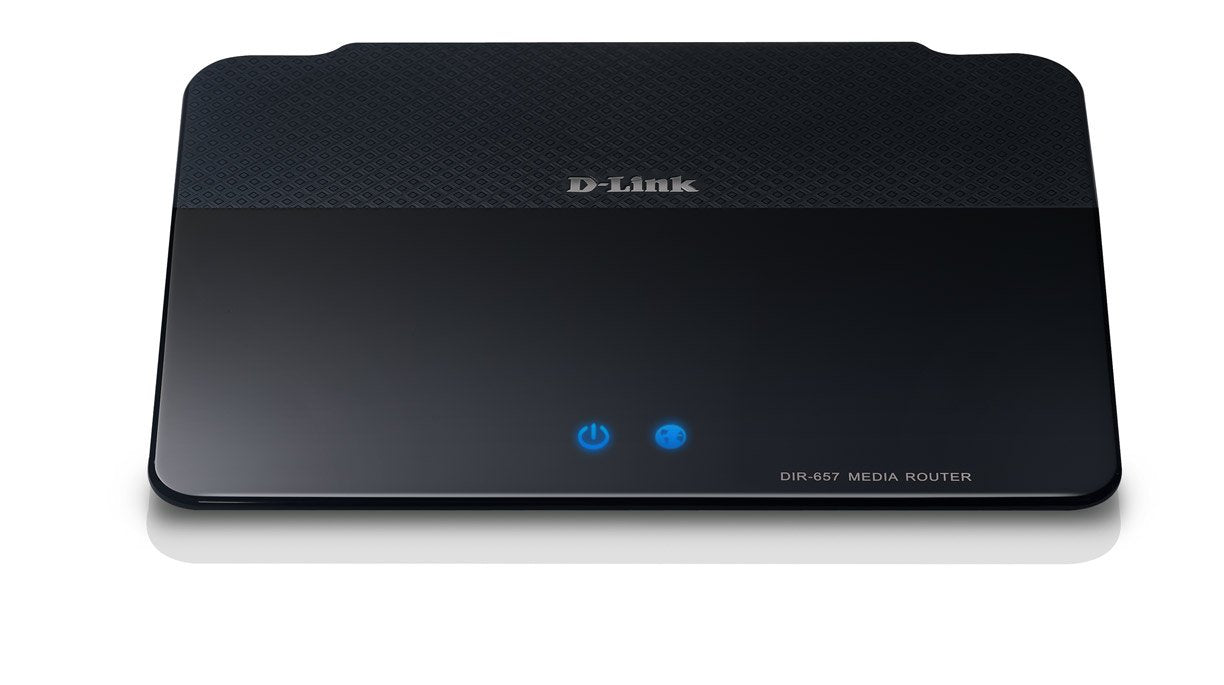
From The Manufacturerthe Hd Media Router 1000 Has Been Designed To Keep Up With Your Connected Lifestyle And Deliver The Uninterrupted Connectivity You Need To Power Multiple Devices, Simultaneously, And Keep You In Command Of Your Digital Universe. Up To 300 Mbps Speed, Four Gigabit Ethernet Ports And Hd Fuel Bandwidth Prioritization Combine To Optimize Your Online Entertainment For Seamless Hd Video Streams, High-Performance Gaming, And Voip Calls Without Annoying Glitches Or Lags.Get Up To 300 Mbps Data Transfer Rates And Prioritize High-Bandwidth Applications Withhd Fuel Qos (See Larger Image).Sd Card Slot For Uploading Hd Media Files.See Larger Image.D-Link'S Hd Media Routers Are Dlna Equipped, Letting You Connect To Virtually Any Electronic Device, Automatically. Shareport Plus Usb 2.0 Lets You Stream From Any Usb Device--Great For Remote Printing Or Connecting Your Nas Media Servers. There'S Even An Sd Card Slot For Accessing Hd Photos, Videos And More. For Complete Home Networking, Amplifi Has You Got You Completely Covered.What You Can Do With The Hd Media Router 1000 Give Your Digital Entertainment The Bandwidth It Deserves. Give It Hd Fuel.Watch Netflix Play Your Xbox 360 Online Or Make Skype Calls-- Hd Fuel Technology Lets You Do It All, All At Once--Free Of The Annoying Lags Or Glitches You Might Experience With Standard Routers. Hd Fuel Automatically Manages Traffic Flow, And Optimizes Your Broadband Connection To Give To High-Bandwidth Applications Like Hd Video Streams And Online Gaming Applications The Highest Priority. Stream Multiple Media Content To Multiple Devices All At The Same Time--Hd Video, Online Gaming, Large Media File Downloads--The Hd Media Router 1000 Delivers Uninterrupted Access To All Your Connected Devices And Keeps You In Control Of Your Digital Entertainment.Now Playing: Everything.Hdtvs, The Boxee Box By D-Link, Blu-Ray Players, Playstation 3--The Hd Media Router 1000 Has Been Engineered To Not Only Deliver Seamless Connectivity To Your Favorite Ethernet-Enabled Devices, But Any Device. Connect Printers, Nas Servers--Even Security Cameras--Shareport Plus Usb 2.0 Lets You Stream From Any Usb Device. There'S Even A Shareport App For Android And Iphone Os For Online Gaming Support Like Onlive. We'Ve Included An Sd Card Slot For Uploading Hd Media Files Like Video And Photo And With Dlna Standard, The Hd Media Router Can Connect To Any Device, Automatically. Advanced Home Networking. Simple Setuphigh-Performance Entertainment Devices. Wireless Signals Anywhere In Your Home. Multiple Laptops. Network Storage Systems. Ipads, Iphones-- It Used To Be That Designing A Home Network Capable Of Handling So Many Devices Required Some Serious Hardware And Some Seriously Messy Installation. Not With Amplifi - The Hd Media Router 1000 Has Not Only Been Engineered With The Power To Handle All Of Your Digital Demands, But With The Smarts To Put It At The Tip Of Your Fingers.Hd Media Routers Offer Wireless G Backwards Compatibility And Wi-Pnp Technology For Simple Wireless Connections Through A Usb Drive. Ipv6 Allows For Intelligent Self-Detect And Router Setup And With Dlna, The Hd Media Router 1000 Not Only Connects To Any Ethernet-Equipped Device, But Virtually Any Device, Automatically. With Push-Button Connectivity And 128-Bit Security Encryption Standard, A Secure Home Network Is As Simple As Plug And Play.128-Bit Security Encryptionthe Hd Media Router 1000 Protects Your Network With 128-Bit Aes Data Security Encryption--The Same Technology Used In E-Commerce Or Online Banking. Create Your Own Network Name And Password Or Put It At The Tip Of Your Fingers With Push Button Security Standard On Every Amplifi Device. With Hassle-Free Plug And Play Installation, And Advanced Wi-Fi Protected Setup, The Hd Media Router 1000 Is Not Only One Of The Fastest Routers Available, It'S Also One Of The Safest.Get Ready For The Future: Ipv6 Equippedwith The Growing Number Of Internet-Enabled Applications Requiring Ip Addresses, The Supply Of Ip Addresses Under The Current Internet Protocol Version 4 (Ipv4) System Has Already Been Exhausted. The Ipv6 Protocol Solves This Network Addressing Exhaustion By Creating More Ip Addresses, But Migration From Ipv4 To Ipv6 Is Not Necessarily Automatic. No Worries--This D-Link Product Is Ipv6 Certified And Ready For The Future. What'S In The Boxhd Media Router 1000 (Dir-657); Ethernet Cable; Cd-Rom; Power Adapter; Quick Install Guide Specificationsproduct Descriptionthe D-Link Hd Media Router 1000(Dir-657) Also Comes Equipped With 4 Gigabit Ports To Provide Speeds Up To 10X Faster Than Standard 10/100 Ports. What'S More, It Uses 802.11N Technology With Multiple Intelligent Antennas To Maximize The Speed And Range Of Your Wireless Signal To Significantly Outperform 802.11G Devicesamazon.Com
⚠️ WARNING (California Proposition 65): This product may contain chemicals known to the State of California to cause cancer, birth defects, or other reproductive harm. For more information, please visit www.P65Warnings.ca.gov.
Frequently Asked Questions
Q: What are the dimensions of the D-Link DIR-657 Wireless Router?A: The D-Link DIR-657 Wireless Router measures eight point thirty-four inches in length, six point twenty-nine inches in width, and one point twenty-seven inches in height.
Q: What wireless standards does the D-Link DIR-657 support?A: The D-Link DIR-657 supports IEEE 802.11n and IEEE 802.11g wireless standards, ensuring compatibility with a wide range of devices.
Q: How many Ethernet ports does the D-Link DIR-657 have?A: The D-Link DIR-657 features four Gigabit Ethernet ports, providing high-speed wired connections for your devices.
Q: How do I set up the D-Link DIR-657 Wireless Router?A: To set up the D-Link DIR-657, connect it to your modem, plug it into a power source, and follow the quick installation guide included in the box.
Q: Can I connect USB devices to the D-Link DIR-657?A: Yes, the D-Link DIR-657 includes SharePort Plus technology, allowing you to connect and share USB devices over the network.
Q: Is the D-Link DIR-657 suitable for gaming?A: Yes, the D-Link DIR-657 is optimized for gaming with HD Fuel technology that prioritizes bandwidth for smooth online gaming experiences.
Q: How do I ensure the D-Link DIR-657 stays secure?A: To keep the D-Link DIR-657 secure, use the built-in one hundred twenty-eight bit AES data encryption and change the default network name and password.
Q: What should I do if the D-Link DIR-657 doesn't connect to the internet?A: If the D-Link DIR-657 doesn't connect to the internet, check all cables, reboot the router, and ensure your modem is functioning properly.
Q: Does the D-Link DIR-657 support IPv6?A: Yes, the D-Link DIR-657 is IPv6 certified, making it ready for future internet applications requiring more IP addresses.
Q: How can I improve Wi-Fi coverage with the D-Link DIR-657?A: To improve Wi-Fi coverage with the D-Link DIR-657, place the router in a central location and avoid obstacles like walls and metal objects.
Q: What devices can connect to the D-Link DIR-657?A: The D-Link DIR-657 can connect to various devices, including laptops, smartphones, tablets, printers, and smart TVs.
Q: Is there a warranty for the D-Link DIR-657?A: Yes, the D-Link DIR-657 comes with a limited warranty, which typically covers defects in materials and workmanship.
Q: How do I reset the D-Link DIR-657 to factory settings?A: To reset the D-Link DIR-657, press and hold the reset button on the back of the router for about ten seconds until the power light blinks.
Q: Can I manage the D-Link DIR-657 settings from my phone?A: Yes, you can manage the D-Link DIR-657 settings using the SharePort app available for both Android and iPhone devices.
Q: What is HD Fuel technology in the D-Link DIR-657?A: HD Fuel technology in the D-Link DIR-657 automatically prioritizes bandwidth for high-demand applications like HD streaming and online gaming.