

Cart
0


Hp Prodesk 400 G9 Sff Business Desktop Computer, Intel Hexa Core I5-12500 (Beat I7-11700), Hdmi, Display Port, Wifi, Rj-45, Keyb
Vendor: Hp
Type: Desktop Towers
Sku: WBCOMB0DRW8SX66
Availability: Sold Out
Couldn't load pickup availability
Guarantee safe checkout

Sold by Electroeshop, an authorized reseller.
Returns accepted within 30 days | support@electroeshop.com
Shipping Information
- Free Standard Shipping — United States only
- Processing Time: 1–3 business days
- Estimated Delivery: 3–5 business days after dispatch
- Double-boxed, fully insured & discreetly packaged
- Tracking number sent via email once dispatched
- Orders over $250 require signature upon delivery. Taxes calculated at checkout.
Returns & Refund
Returns accepted within 30 days of delivery.
Damaged or Defective Item
Free return shipping + replacement or full refund
Wrong Item Received
Free return shipping + replacement or full refund
Change of Mind
Return shipping at customer's expense · 25% restocking fee applies
All returns require a Return Authorization (RA) number before sending.
View Full Return & Refund Policy
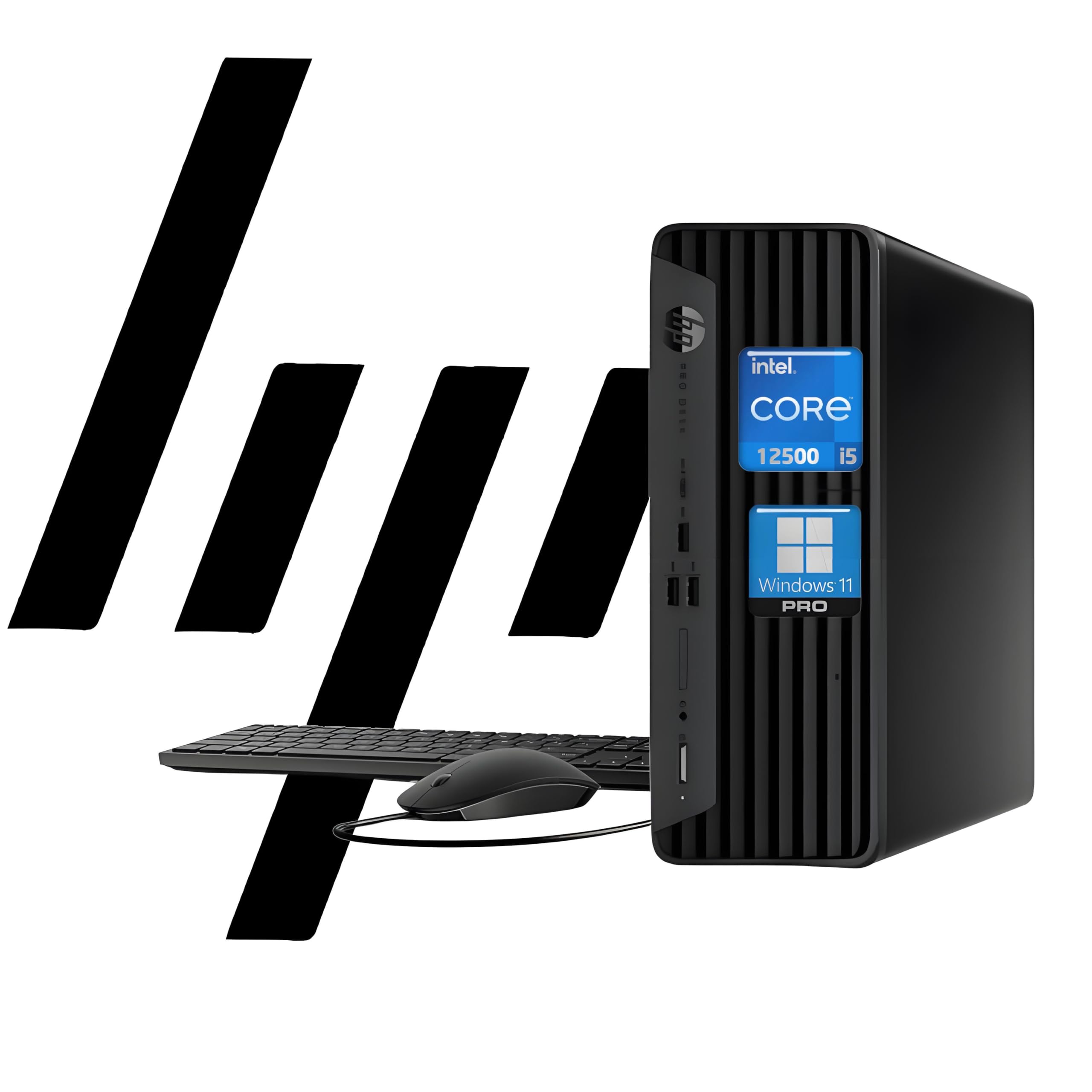
Hp Prodesk 400 G9 Sff Business Desktop Computer, Intel Hexa Core I5-12500 (Beat I7-11700), Hdmi, Display Port, Wifi, Rj-45, Keyb
$1,359.25

Frequently Asked Questions
- Q: What are the dimensions of the HP ProDesk 400 G9? A: The dimensions are seven point zero four inches by seven point two zero inches by one point three five inches. This compact size makes it suitable for various office setups.
- Q: What type of processor does the HP ProDesk 400 G9 use? A: It uses a twelfth generation Intel Core i5-12500 processor. This processor features six cores and twelve threads, providing robust performance for business tasks.
- Q: How much RAM can the HP ProDesk 400 G9 support? A: The system supports up to sixty-four gigabytes of DDR4 RAM. This allows for excellent multitasking capabilities and faster performance.
- Q: What is the storage capacity of the HP ProDesk 400 G9? A: It can accommodate up to four terabytes of PCIe NVMe M.2 solid state drive storage. This ensures ample space for files and applications.
- Q: What operating system comes pre-installed on the HP ProDesk 400 G9? A: The computer comes with Windows eleven Pro pre-installed. This provides access to the latest features and security enhancements.
- Q: What type of graphics does the HP ProDesk 400 G9 have? A: It features integrated Intel UHD Graphics. This provides adequate performance for everyday computing tasks and multimedia.
- Q: How do I connect to Wi-Fi with the HP ProDesk 400 G9? A: You can connect to Wi-Fi using the Wi-Fi six AX201 dual-band adapter. This ensures fast and reliable wireless connectivity.
- Q: What ports are available on the HP ProDesk 400 G9? A: It offers multiple ports including one USB-C, three USB-A three point two Gen two, one HDMI, and one DisplayPort. This variety allows for easy connectivity to peripherals.
- Q: What type of keyboard and mouse are included with the HP ProDesk 400 G9? A: The package includes a wired keyboard and mouse combo. Both are designed for durability and ease of use in a business environment.
- Q: Is the HP ProDesk 400 G9 suitable for gaming? A: No, it is not primarily designed for gaming. While it has decent graphics, it is optimized for business and productivity tasks.
- Q: How can I ensure the HP ProDesk 400 G9 stays in good condition? A: Keep it clean by regularly dusting the exterior and ensuring proper ventilation. Avoid placing it in damp or overly hot environments.
- Q: What warranty comes with the HP ProDesk 400 G9? A: It typically comes with a one-year limited warranty. This covers manufacturing defects and provides peace of mind for your purchase.
- Q: What do I do if the HP ProDesk 400 G9 arrives damaged? A: Contact customer support immediately for assistance with returns or exchanges. Ensure you have all packaging and documentation ready.
- Q: Can I upgrade the RAM in the HP ProDesk 400 G9? A: Yes, the RAM can be upgraded to a maximum of sixty-four gigabytes. This allows for future-proofing as your needs grow.
- Q: Is the HP ProDesk 400 G9 suitable for remote work? A: Yes, it is well-suited for remote work. Its powerful processor and ample RAM provide the performance needed for productivity tasks.
- Q: How do I install additional software on the HP ProDesk 400 G9? A: You can install additional software via the Microsoft Store or by downloading installers from trusted websites. Ensure you have administrative access for installations.