

Cart
0


Hp Elite Mini G9 Business Desktop Computer, 13Th Gen Intel 16-Core I7-13700T, 32Gb Ddr5 Ram, 1Tb Pcie Ssd, Usb-C, Ultra Quite De
Vendor: Hp
Type: Mini PCs
Sku: WBCOMB0DPBJQKTN
Availability: Sold Out
Couldn't load pickup availability
Guarantee safe checkout

Sold by Electroeshop, an authorized reseller.
Returns accepted within 30 days | support@electroeshop.com
Shipping Information
- Free Standard Shipping — United States only
- Processing Time: 1–3 business days
- Estimated Delivery: 3–5 business days after dispatch
- Double-boxed, fully insured & discreetly packaged
- Tracking number sent via email once dispatched
- Orders over $250 require signature upon delivery. Taxes calculated at checkout.
Returns & Refund
Returns accepted within 30 days of delivery.
Damaged or Defective Item
Free return shipping + replacement or full refund
Wrong Item Received
Free return shipping + replacement or full refund
Change of Mind
Return shipping at customer's expense · 25% restocking fee applies
All returns require a Return Authorization (RA) number before sending.
View Full Return & Refund Policy
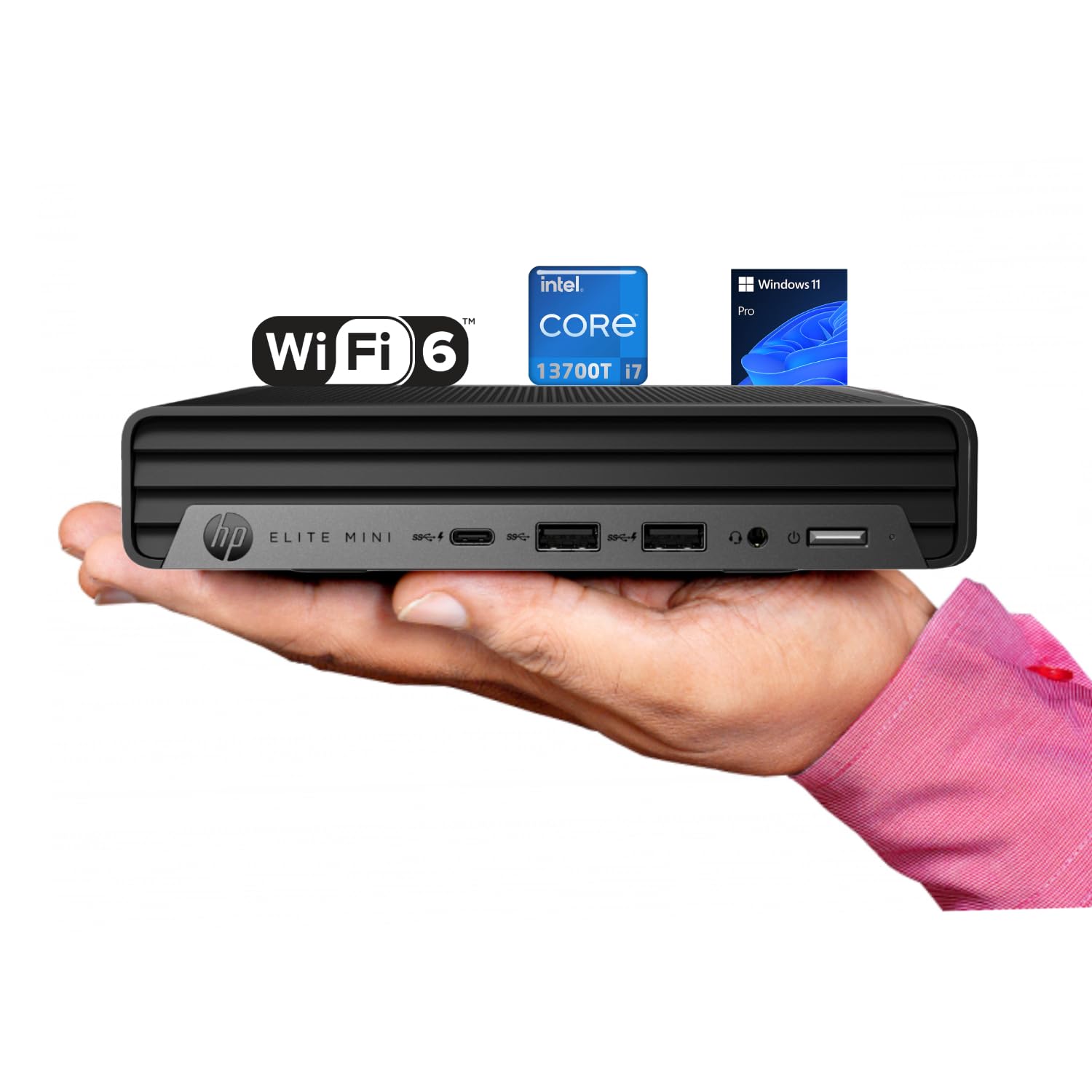
Hp Elite Mini G9 Business Desktop Computer, 13Th Gen Intel 16-Core I7-13700T, 32Gb Ddr5 Ram, 1Tb Pcie Ssd, Usb-C, Ultra Quite De
$1,482.70

Frequently Asked Questions
- Q: What are the dimensions of the HP Elite Mini G9? A: The dimensions are six point nine seven inches in length, six point eight nine inches in width, and one point three four inches in height.
- Q: What type of processor does the HP Elite Mini G9 have? A: It features an Intel Core i7-13700T processor with a base frequency of one point four gigahertz, reaching up to four point nine gigahertz.
- Q: How much RAM can the HP Elite Mini G9 support? A: It can support up to sixty four gigabytes of DDR5 RAM, ensuring smooth multitasking.
- Q: What kind of storage options are available for the HP Elite Mini G9? A: The device offers up to four terabytes of PCIe SSD storage, providing ample space for files and applications.
- Q: Does the HP Elite Mini G9 have any optical drive? A: No, the HP Elite Mini G9 does not include an optical drive.
- Q: What ports are available on the HP Elite Mini G9? A: It includes one USB-C port, two USB-A ports, one headset combo port, one HDMI port, and multiple USB-A ports on the rear.
- Q: How do I set up the HP Elite Mini G9? A: Simply connect it to a power source, attach the included keyboard and mouse, and follow the Windows setup prompts.
- Q: Is the HP Elite Mini G9 suitable for gaming? A: Yes, it can handle casual gaming due to its powerful processor and integrated Intel UHD Graphics 770.
- Q: Can the HP Elite Mini G9 be upgraded? A: Yes, the RAM and storage can be upgraded, allowing for future enhancements as needed.
- Q: How do I care for the HP Elite Mini G9? A: Keep it clean by dusting it regularly and ensure proper ventilation to avoid overheating.
- Q: Is there a warranty for the HP Elite Mini G9? A: Yes, it comes with a manufacturer's warranty that typically covers hardware defects.
- Q: What should I do if my HP Elite Mini G9 arrives damaged? A: Contact customer support immediately to initiate a return or replacement process.
- Q: How do I connect the HP Elite Mini G9 to Wi-Fi? A: Use the Windows settings to find available networks, select your network, and enter the password to connect.
- Q: Is the HP Elite Mini G9 compatible with dual monitors? A: Yes, it supports dual monitors via the HDMI and DisplayPort connections.
- Q: What operating system comes with the HP Elite Mini G9? A: It comes pre-installed with Windows eleven Pro, optimized for productivity and multitasking.