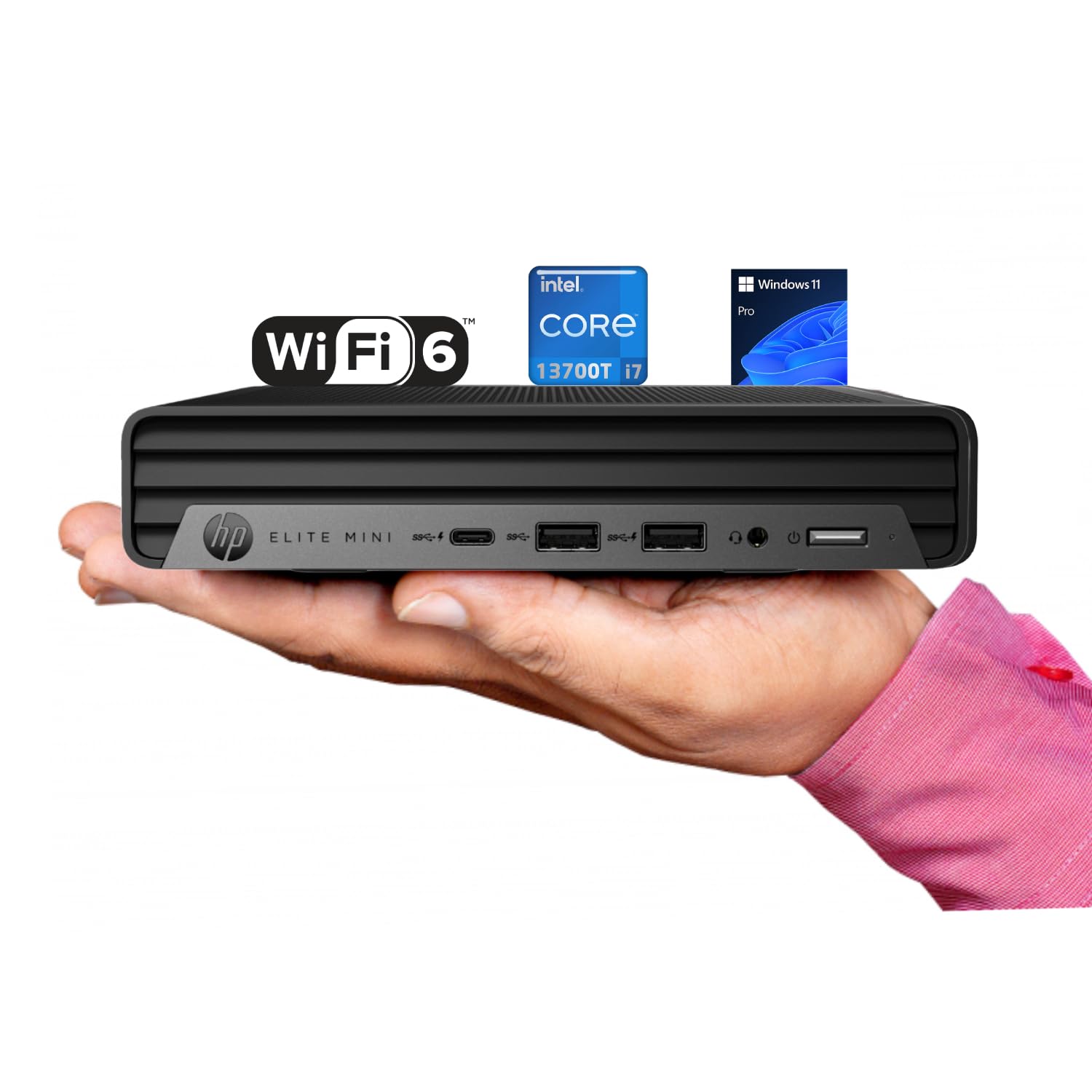
Processor: Intel Core I7-13700T (13Th Gen) 1.4 Ghz Up To 4.9 Ghz, Ram: Up To 64 Gb Ddr5-5200 Mhz Storage: Up To 4 Tb Pcie Ssd Wireless: Wi-Fi 6,Bluetooth Optical Drive: None Form Factor: Mini Desktop Keyboard: Traditional Keyboard, Black Mouse: Traditional Mouse, Black Front Ports: 1X Usb-C 10Gbps, 2X Usb-A 10Gbps, 1X Headset Combo Rear Ports: 1X Hdmi 2.0, 1X Displayport 1.4, 4X Usb-A 5Gbps, 2X Usb-A 2.0, 1X Rj-45, 1X Audio-Out Weight:3 Lb
⚠️ WARNING (California Proposition 65): This product may contain chemicals known to the State of California to cause cancer, birth defects, or other reproductive harm. For more information, please visit www.P65Warnings.ca.gov.
Frequently Asked Questions
Q: What are the dimensions of the HP Elite Mini G9?A: The dimensions are six point nine seven inches long, six point eight nine inches wide, and one point three four inches high. This compact size makes it ideal for limited desk space.
Q: What type of processor does the HP Elite Mini G9 use?A: It uses a thirteenth generation Intel Core i7-13700T processor. This sixteen-core processor provides excellent performance for multitasking and demanding applications.
Q: How much RAM can the HP Elite Mini G9 support?A: It can support up to sixty-four gigabytes of DDR5 RAM. This allows for smooth multitasking and efficient handling of multiple applications.
Q: What operating system comes with the HP Elite Mini G9?A: It comes with Windows eleven Pro pre-installed. This operating system is designed for productivity and enhances multitasking capabilities.
Q: What storage options are available for the HP Elite Mini G9?A: It supports storage options of up to four terabytes of PCIe SSD. This provides ample space for files and applications, ensuring fast boot times.
Q: How do I connect peripherals to the HP Elite Mini G9?A: You can connect peripherals using various ports including one USB-C, two USB-A ten gigabits, and one HDMI port. These ports provide versatile connectivity for different devices.
Q: Can I upgrade the RAM on the HP Elite Mini G9?A: Yes, the RAM is upgradeable up to sixty-four gigabytes. This flexibility allows users to enhance performance as needed.
Q: Is the HP Elite Mini G9 suitable for gaming?A: While it is primarily designed for business use, it can handle light gaming due to its Intel UHD Graphics 770. However, it may not support high-end gaming.
Q: How do I set up the HP Elite Mini G9?A: Setting it up is simple: connect the keyboard and mouse, plug it into a power source, and turn it on. Follow the on-screen instructions to complete the setup.
Q: What type of keyboard and mouse does the HP Elite Mini G9 include?A: It includes a traditional black keyboard and a traditional black mouse. These accessories are designed for immediate use out of the box.
Q: How do I clean the HP Elite Mini G9?A: To clean it, use a soft cloth to wipe the exterior. Avoid using harsh chemicals that could damage the finish or components.
Q: Is the HP Elite Mini G9 energy efficient?A: Yes, it is designed to be energy efficient, helping to reduce electricity costs while maintaining high performance. Its compact design also contributes to lower energy consumption.
Q: What if the HP Elite Mini G9 arrives damaged?A: If it arrives damaged, you should contact customer support immediately for assistance with returns or exchanges. Ensure to keep the original packaging for return purposes.
Q: Does the HP Elite Mini G9 have a warranty?A: Yes, it typically comes with a limited warranty. Check with the retailer for specific warranty details and duration.
Q: Can I use the HP Elite Mini G9 for video conferencing?A: Yes, it is suitable for video conferencing due to its robust performance and Windows eleven Pro features. Ensure to have a compatible webcam and microphone.