Cart
0
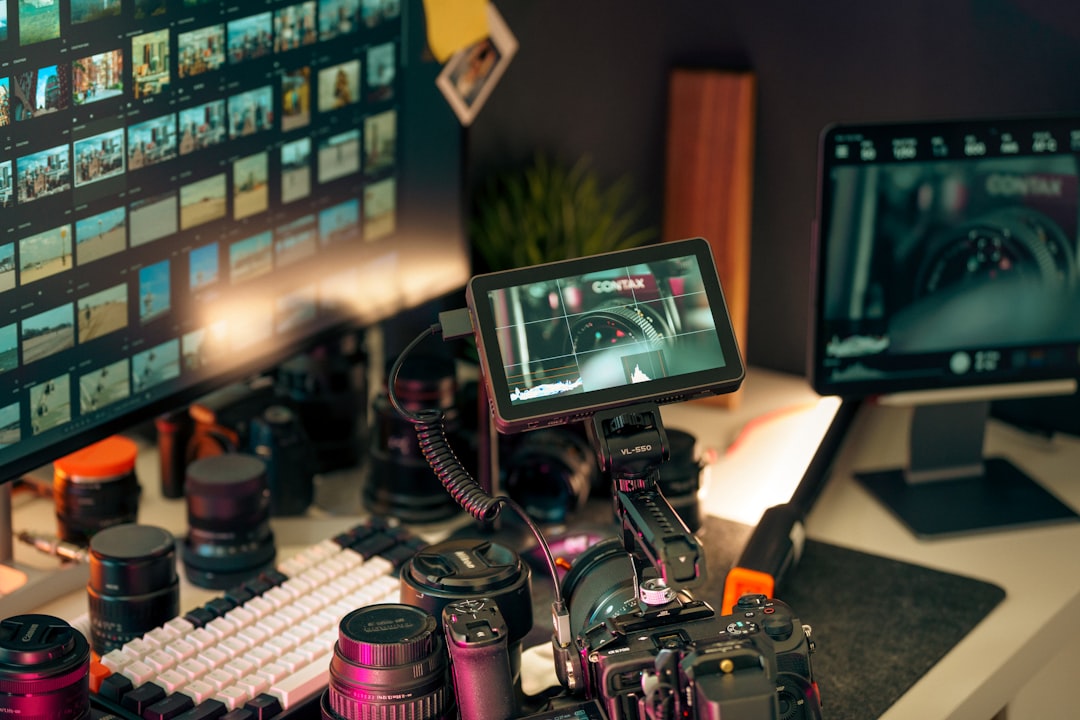
Essential Video and Content Creation Equipment: Your Ultimate Guide to Pro-Quality Gear
Discover how the right video and content creation equipment transforms your projects from amateur to professional. This guide unpacks vital tools across cameras, audio, lighting, stabilization, editing, storage, and hosting to empower creators of all levels.
Estimated Reading Time
Approximately 12 minutes
Key Takeaways
- Choosing the right camera—from smartphones to professional-level options—is foundational for quality content.
- Audio quality is critical; investing in directional microphones and accessories enhances viewer engagement.
- Proper lighting solutions like ring lights and softboxes dramatically improve visual storytelling.
- Stabilization gear such as tripods and gimbals ensures smooth, professional-looking footage.
- Editing software options cater from beginners to pros, impacting workflow efficiency and creative control.
- Robust storage strategies and reliable hosting platforms guarantee seamless production and distribution.
- Budget-friendly setups can still deliver impressive results when smart equipment choices are made.
Table of Contents
- 1. Importance of Well-suited Video and Content Creation Equipment
- 2. Picking the Right Cameras for Content Creation
- 3. Microphones: Capturing Crisp, Engrossing Sound
- 4. Lighting Solutions: Painting Your Subject Perfectly
- 5. Stabilizing Your Shots: Ensuring Consistent Stability with Tripods and Gimbals
- 6. Editing Software: Resuscitating Your Creative Aura through Effective Post-Production
- 7. Storage and Workflow: Harmonizing Video Management and Redundancy Curation
- 8. Streaming and Hosting: Serving Delectable Audience Banquets with Quality Feasts
- 9. Practical Budget-friendly Catalyzers for Content Creation Dreams
- 10. Additional Gear Quests and Adjuncts for Comprehensively Embellishing Content Domain
- 11. Embarking on Crafting Your Perfect Video Creation Kit
1. Importance of Well-suited Video and Content Creation Equipment
Starting your creative endeavors with ill-suited or low-quality equipment often leads to frustration and subpar content. Issues like poor audio, unstable footage, and uneven lighting hinder professionalism and growth. Conversely, investing in the right tools unlocks:
- Crisp video quality via high-performance cameras
- Engaging and clear audio through quality microphones
- Aesthetic consistency with appropriate lighting
- Stable, smooth shots via reliable stabilization gear
- Streamlined editing and storage with compatible software and hardware
- Professional hosting and sharing platforms to reach your audience effectively
Informed equipment choices support scalability and maximize return on investment, regardless of your budget.
2. Picking the Right Cameras for Content Creation
The camera is the core storyteller of your setup. Selecting one that aligns with your needs and style enhances your narrative power.
Smartphone Cameras: A Solid Starting Point
High-end smartphones like the iPhone 13 Pro, Samsung Galaxy S23 Ultra, and Google Pixel 7 Pro feature 4K 60fps video, sophisticated autofocus, and stabilization. With user-friendly apps, they’re perfect for vlogging, social media, and on-the-go shooting.
Mid-Range Mirrorless Cameras
Cameras such as Sony ZV-E10 and Canon EOS R100 blend professional features with affordability: interchangeable lenses, flip screens, manual controls, 4K recording, and advanced autofocus, ideal for elevated production quality.
Action Cameras for Dynamic Filming
GoPro Hero Series cameras offer rugged, waterproof designs with excellent stabilization and mounting flexibility, perfect for sports and adventure but usually paired with studio setups for stationary shoots.
High-End Professional Cameras
For creators demanding top resolution and low-light performance, models like the Sony Alpha A7R III deliver extraordinary image quality and features for perfectionists.
*Explore detailed camera features and recommendations at this comprehensive list.
3. Microphones: Capturing Crisp, Engrossing Sound
Audio quality often defines viewer retention and professionalism. Quality microphones and accessories prevent distraction from poor sound and enrich your videos.
Shotgun Microphones for Focused Audio Pickup
Directional shotguns like the Rode VideoMic reduce ambient noise and capture clear dialogue, especially outdoors or during interviews.
Wireless Lavalier Microphones for Mobility
Wireless clip-on mics such as the Moman M1 offer hands-free recording with discreet placement, ideal for tutorials and talking-head videos.
Dual Wireless Systems for Multiple Inputs
Systems like Moman C2/C2X enable recording two audio channels simultaneously, perfect for interviews and multi-person scenarios.
USB and XLR Microphones for Versatility
USB mics suit desk-bound creators with plug-and-play simplicity; XLR microphones, used with mixers or interfaces, provide superior sound quality for studios.
Essential Audio Accessories
- Adjustable mic arms and boom poles for flexible placement
- High-quality cables and adapters for signal integrity
- Portable field recorders as reliable backup
*Discover more about top audio accessories at this link.
4. Lighting Solutions: Painting Your Subject Perfectly
Lighting influences the mood, clarity, and professionalism of your videos. Mastering lighting fundamentals revitalizes your visual narrative.
Ring Lights for Radiant Facial Illumination
Ideal for vloggers and beauty creators, ring lights provide soft, even light eliminating shadows and producing pleasing eye catch-lights.
Softboxes for Diffused Studio Lighting
Softboxes spread light evenly across subjects, creating a natural feel without harsh highlights, excellent for products and cinematic scenes.
LED Panels for Portability and Ambiance
Adjustable LED lights like Moman PC8 and COLBOR W100 can modify brightness and color, supporting flexible setups in studios or remote shoots.
Reflectors to Fill Shadows Economically
Reflectors redirect existing light to remove unwanted shadows, enhancing visual appeal without electric power.
"Mastering lighting transforms ordinary setups into cinematic experiences, guiding your audience’s eye and enhancing storytelling power."
*For in-depth lighting insights, visit this specialized store.
5. Stabilizing Your Shots: Ensuring Consistent Stability with Tripods and Gimbals
Stable footage maintains viewer focus and increases professional appeal. Incorporate stabilization gear suited to your shooting style for best results.
Tripods for Stationary Stability
Tripods like the Moman Max80 offer stable mounts with 360° ball heads, enabling varied angles and quick setup ideal for interviews and product demos.
Gimbals for Smooth Motion Shots
Gimbals such as the Moman CL07 stabilize cameras while moving, creating cinematic motion effects with minimized shake, useful for dynamic filming or solo creators.
Advanced stabilizers like sliders and steadicams further enhance motion shots for professional production quality.
*Explore premium stabilization tools at this specialized store.
6. Editing Software: Resuscitating Your Creative Aura through Effective Post-Production
Editing molds raw footage into compelling stories. Selecting software aligned with your skills and needs turbocharges your creative expression.
Adobe Premiere Pro: Industry Gold Standard
Favored by professionals, Premier Pro offers extensive tools, seamless integration with After Effects and Photoshop, and robust color correction under a subscription model.
DaVinci Resolve: Color Grading Mastery
Available in free and paid versions, Resolve excels in color grading and creative flexibility, favored by budget-conscious professionals and beginners alike.
Final Cut Pro: Mac-Centric Speed and Efficiency
Designed for Mac users, Final Cut Pro boasts rapid rendering, intuitive timelines, and strong Apple ecosystem integration.
Entry-Level Editing Apps
iMovie, Filmora, LumaFusion, and Adobe Premiere Rush offer accessible, flexible platforms for beginners and mobile editors.
*Find comprehensive reviews and tutorials at this creative fountainhead.
7. Storage and Workflow: Harmonizing Video Management and Redundancy Curation
Efficient storage preserves your footage’s integrity and smoothens the editing process.
High-Speed SD Cards
Look for V60 or V90 rated cards to sustain fast writes for 4K and high-bitrate recordings, avoiding interruptions during shoots.
External Hard Drives and SSDs
Devices like Western Digital My Passport and G-Drive SSD provide robust storage with fast transfer speeds vital for large files.
Cloud Storage
Services such as Google Drive and Dropbox offer offsite backup and collaboration, adding security and access flexibility.
Mobile Transfer Devices
Adapters like Apple’s Lightning to SD Card Camera Reader expedite data transfer between devices for rapid workflow.
*Discover a range of storage solutions at this store.
8. Streaming and Hosting: Serving Delectable Audience Banquets with Quality Feasts
Choosing the right hosting platform affects your content’s reach, viewer experience, and monetization potential.
Vimeo: For Cultivated and Private Hosting
Vimeo offers ad-free playback, customization, analytics, private sharing, live streaming, and monetization tools, ideal for professional creators and teams.
YouTube: Vast Audience and Free Access
YouTube is the go-to platform for massive exposure, live streaming, and community engagement, though monetization and branding have certain platform restrictions.
Twitch and Social Media Platforms
Twitch focuses on gaming and livestreaming, complementing platforms like Facebook and Instagram for social engagement.
*Explore professional hosting features at Vimeo's professional offerings.
9. Practical Budget-friendly Catalyzers for Content Creation Dreams
- Start with a quality smartphone camera.
- Invest early in reliable audio equipment for better sound.
- Use affordable lighting gear like ring lights or portable LED panels.
- Incorporate an entry-level tripod for stability.
- Leverage free or inexpensive editing software like DaVinci Resolve.
- Utilize SSDs and external drives for effective storage without overspending.
Smart choices and gradual upgrades can build a professional kit aligned with your evolving content goals.
10. Additional Gear Quests and Adjuncts for Comprehensively Embellishing Content Domain
- Reflectors: Affordable lighting complements that require no power.
- Drones: Aerial shots with models like DJI Mavic Pro (observe local laws).
- Teleprompters: Tools like Moman MT12 to maintain eye contact and smooth delivery.
- Capture Cards: AVerMedia Live Gamer enables high-quality streaming and console input.
- Portable Lighting Kits: RGB LED setups for versatile creative lighting anywhere.
11. Embarking on Crafting Your Perfect Video Creation Kit
Start with your smartphone and build gradually by adding suitable cameras, microphones, lighting, stabilization, editing tools, storage, and streaming services. This comprehensive approach ensures you grow your setup in line with your style, goals, and budget.
Investing in the right equipment combined with creative skills sparks audience engagement and elevates your content’s impact.